0:00
Welcome guys, in this tutorial I'm gonna show you how you can play online with your friends
0:05
on FIFA 23. Okay so first of all you have to open the friend list, you can tap R2 on your controller
0:16
also you can find this icon in the right bottom corner. As you can see that's my friend list, you can find invites, you can also check your
0:25
friend requests and you can search for your friends. If you add someone to the friend list, you can start to cooperate online or just play
0:36
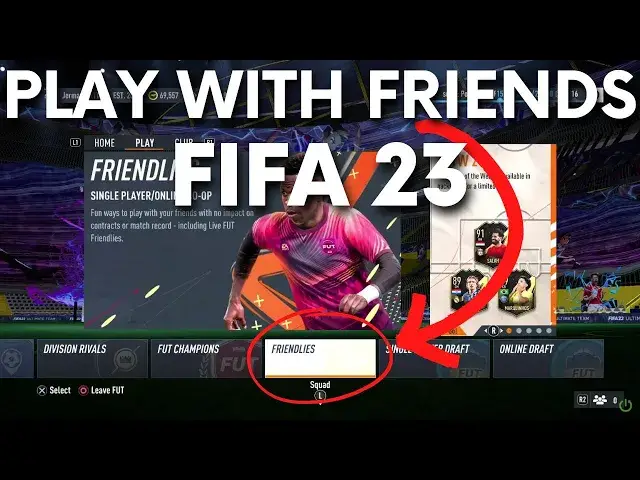
versus your friend and in the ultimate team you can go for the play tab, it's right here
0:42
as you can see, take a look on my mouse cursor and you have to go in this place
0:48
So as you can see you are able to play with your friends, squad battles, different rivals
0:52
and online friendlies. You can open it and then right here you can invite your teammate or your opponent
0:59
Also you will find friendlies in this place. And you can pick to play versus your friend, play online, solo or with your friend in the
1:10
same team or couch play and also we got another option because right here we got the ultimate
1:17
team right? But if you want to play with a normal team like Real Madrid, Barca, maybe Manchester
1:23
United or Paris Saint Germain, you have to go back from the ultimate team and then go
1:30
for play modes and you have to go for the quick play modes and go for the online friendlies
1:38
And right here you will be able to invite your friend by tapping on the new friendlies system
1:43
In my case I am unable to play with someone because everybody is offline so I cannot but
1:52
right here you can invite a friend. And basically that's all, that's how it looks in the FIFA 23
1:56
If you find this video helpful remember to leave a like, comment and subscribe