0:00
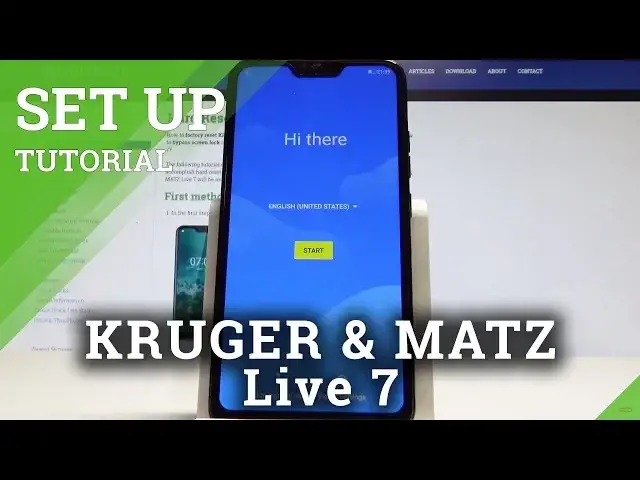
I have Programats Live 7 and let me show you how to setup this device
0:12
So let me show you how to initialize this device. At the very beginning let's start by using the welcome panel
0:17
Here you've got the desired languages that you can use. So you can open this list right here and choose one of the following languages
0:26
In my case let me choose English and tap United Kingdom. Alright so here you can tap start right now
0:33
You can connect your device to a mobile network but it's not necessary. You can skip this part by tapping skip
0:40
You may also connect your device to a WiFi. Let me do it
0:43
So let me just find my WiFi. Let's choose see all WiFi networks
0:52
Alright here I have my desired network. The device is looking for any updates
1:01
You can copy apps and data if you would like to. So in my case let me setup my device as a new
1:06
I would like to have a fresh start. The phone is checking info and here you can sign in into the Google account
1:17
It's also not necessary. You can tap skip if you would like to bypass this part
1:21
But let me connect my device to a Google account. It will enable a couple of useful features
1:31
Alright tap next. And it's time to enter the password. Let me do it
1:42
Alright if you are ready let's tap next right here. Let me tap agree terms of service and privacy policy
1:50
The phone is checking info and getting account information. Let me tap skip to the following fingerprint configuration
2:00
You can protect your phone by using pattern pin or password. Or you can do it later
2:05
For now let me choose not now. Let me tap skip anyway
2:10
Let me also here choose no thanks. And here you can enable or disable backup to Google Drive
2:17
Helps app find your location. Improve location accuracy and sends system data
2:23
In my case let me leave all of them unable. Tap agree
2:27
Choose no thanks to this information. And that's it. The home screen pops up so everything went well
2:33
Now you can start using your device. Thank you for watching. Please subscribe our channel, leave thumbs up and review