0:00
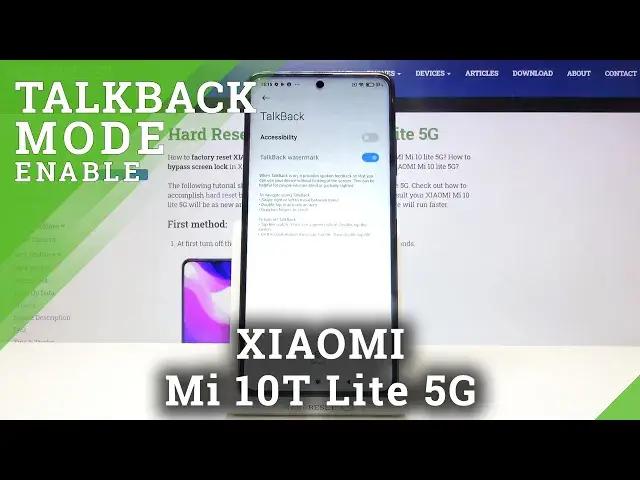
Hi everyone, here we've got Xiaomi Mi 10T Lite 5G and let me show you how to enable
0:11
the talkback mode on this device. So first of all let's find and open the settings and here we have to go to the additional settings
0:19
Now let's tap on the accessibility and tap on the vision. Here we've got the talkback option on the second position so let's enter and before
0:27
turning it on let's customize it by tapping on the settings. Here we've got some options to personalize for example you can decide if you want to
0:34
speak the passwords so the passwords will be always spoken. You can decide if you want to feel the vibration feedback or sound feedback actually and the
0:43
feedback volume or you can set the gestures. Let's tap here and as you can see here you can decide what you want to do after swiping
0:51
up down left right up then down. It's really up to you and you've got a lot of options to customize
0:58
Just tap on it and here you've got much more settings. Let me get back and leave it like this and now in order to turn on the talkback just
1:06
tap on the switcher near accessibility. Now your device is telling you that talkback needs to view and control the screen and view
1:14
and perform actions so let's tap on allow and as you can hear the talkback is on
1:21
Maybe if you will turn on the talkback for the very first time your device will open
1:25
the tutorial and of course you will be able to go through it and learn how to use the
1:30
talkback but now I will show you the shortcut of it so actually I will show you how to choose
1:34
something or how to enter the app and how to swipe. So first of all let me show you how to choose something for example the back button
1:42
Let's tap on it. You will see a green frame and then you will have to double tap to activate
1:49
Let's do the same so tap, double tap, double tap and here we are in the general settings
1:57
So here I can show you how to swipe. You have to use two fingers to do that. This way and it's quite easy or this way
2:05
It's up to you which option you will choose. Of course you can do it this way
2:09
It's really up to you which one is much more comfortable for you
2:13
So now let me show you actually how to turn off the talkback because I've just shown you the basics so let's tap on additional settings and double tap
2:21
Tap on accessibility and double tap. Choose vision and double tap. Tap on the talkback, double tap
2:29
Tap on the accessibility, double tap, stop and double tap. And as you can hear the talkback is off
2:36
So that's all. This is how to enable the talkback mode in your Xiaomi Mi 10T Lite 5G
2:42
Thank you so much for watching. I hope that this video was helpful and if it was, please hit the subscribe button and