0:00
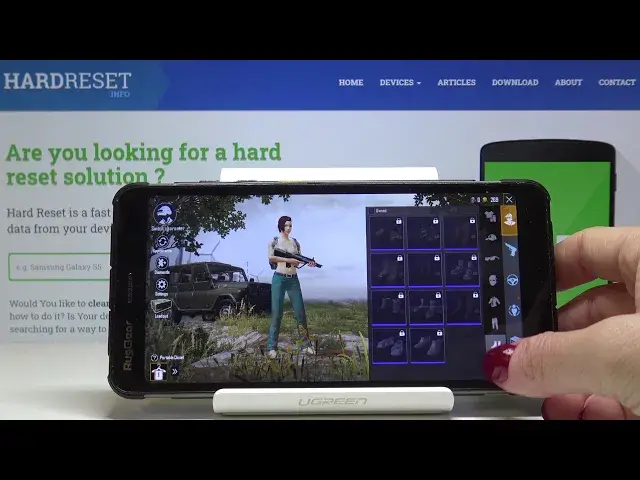
Let me show you how to change the appearance of PUBG game character
0:09
So at first you have to open the game and then click on inventory right here
0:14
Now go to switch character to select the one that you would like to apply some changes
0:18
to and in my case it will be this one. Click on use and tap on OK to save it
0:24
This is my character. Now click on appearance right here and it's time to select the gender so you can pick
0:32
either male or female. Then choose the proper face
0:43
You can also pick some haircut and also hair color right here
0:52
Just make sure that you are ready to afford it because it is payable with the PUBG coins
1:00
I'm most probably not ready to afford it but still I will try it
1:05
So all you have to do then is tap on OK and then purchase
1:10
So if you will have sufficient funds then all the changes would be uploaded
1:15
I will go back. Let me tap on cross icon and here you can also add some other features to your character
1:22
so at first let's start with the outfit. You can add her or him some hat, glasses or mask, then the proper mask, t-shirt or shirt
1:39
or whatever you want to some sweater, then the trousers, shoes or socks, another mask
2:01
or even backpack. So just turn your hero around and you will be able to check what are these
2:09
And that would be all. Now you can also pick the gun to your character
2:23
Also the car. Just click on this icon and now you can pick the proper one
2:30
And finally you can adjust some gestures so for example if you would like your hero to
2:35
do something like this or that just drag to equip or remove
2:47
And actually that would be all. Then you can play the game with your hero with customized character just like that
2:55
This is she in my case. And enjoy. Enjoy gaming in your PUBG game
3:01
Thank you for watching. Please subscribe our channel and leave the thumbs up