0:00
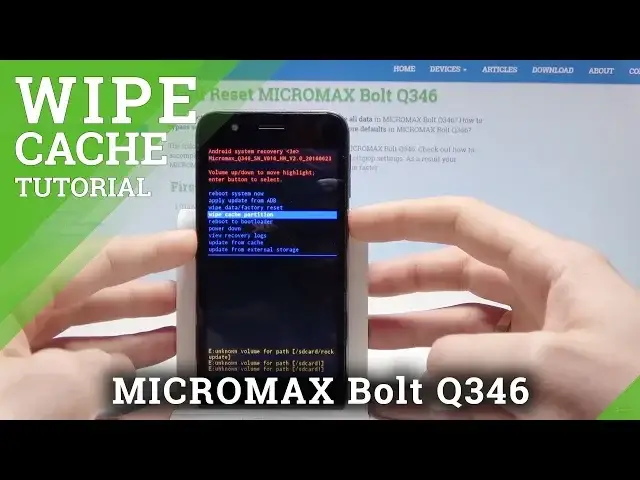
Here I have a Micromax Bolt Q346 and let me show you how to wipe cache partition on the
0:12
following device. So at the very beginning let's start by pressing the power key, choose power off and
0:17
tap ok to confirm the operation. Wait until your device will be completely switched off and then you need to use the
0:23
following combination of keys. You need to start holding power key, then after a second you need to also press volume
0:28
up, then when the Android recovery logo pops up let's release power key and keep holding
0:34
volume up. So let me show you how to do it. Press power key, volume up, let's wait for the Android logo, release power key and keep
0:41
holding volume up and release volume up as soon as Android system recovery pops up which
0:49
is now. Here you can navigate by using both volume keys and confirm options by pressing power key
0:55
Let's scroll down to choose wipe cache partition, press power key to confirm it and the device
0:59
is whipping the cache files, the phone is formatting all temporary cache files and as
1:03
soon as Android system recovery pops up let's press power key to reboot system now and wait
1:08
until the home screen pops up in front of you
1:18
Alright the home screen pops up so everything went well. Thank you for watching, please subscribe our channel, leave thumbs up under the video
1:25
I'm also on Facebook, Twitter and Instagram. You can also check out our blog post. Thank you for watching, please subscribe our channel, leave thumbs up under the video
1:28
I'm also on Facebook, Twitter and Instagram. You can also check out our blog post. Thank you for watching, please subscribe our channel, leave thumbs up under the video
1:31
I'm also on Facebook, Twitter and Instagram. You can also check out our blog post. Thank you for watching, please subscribe our channel, leave thumbs up under the video
1:34
I'm also on Facebook, Twitter and Instagram. You can also check out our blog post.