0:00
Hi everyone, in front of me I've got Samsung Galaxy A13 and let me share with you how to
0:12
enable the iComfort mode on this device. So before I'll show you the fastest access to this option, I'd like to show you how to
0:20
customise it. So let's begin with opening the settings and now let's tap on the display
0:26
Here we've got the option iComfort Shield and as you can see we can turn it on or off
0:31
without any customisation just by tapping on the switcher. And I hope that you can see a slight change, so the screen turned a little bit yellowish
0:40
or amber and it is in order to filter the blue light. What's more it will be much much easier for you to look at the screen at the dim light
0:49
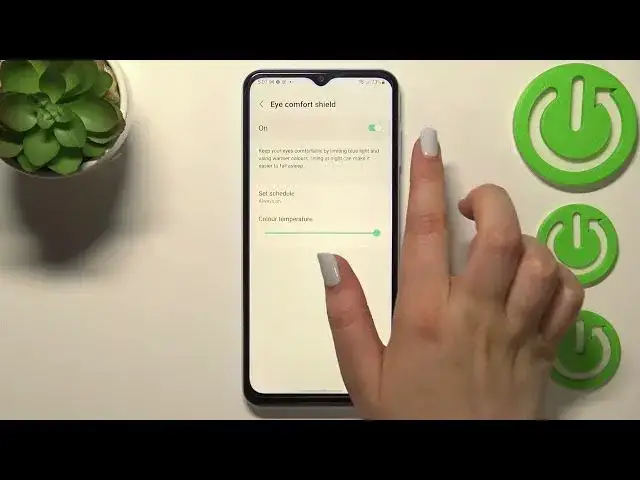
So if you want to leave it like this that's okay. If you'd like to customise it, just tap on iComfort Shield and as you can see we've got
0:56
two different options. So first of all we can change the colour temperature
1:01
Just by going to the left you can make it much much cooler and it is almost invisible
1:05
right now. And by going to the right much much warmer. So it's quite, I would say that the colours are quite dull, a little bit maybe
1:16
So of course you can set it just like you want to, just pick the option which is most
1:21
comfortable for you. What's more you can set the schedule, so you can keep it always on which means that you
1:25
will have to turn it on or off manually. You can set it from sunset to sunrise or you can custom the time
1:32
So I will pick the custom and as you can see just by swiping you can pick the start time
1:37
and the end time. Just tap on done if you're ready. And as you can see the screen immediately got back to its normal state
1:45
It is of course because we are not between the start and end time
1:49
But let me turn it off. And basically this is the whole customisation of the iComfort Shield
1:56
So now I can show you much faster access to it. All you have to do is to simply unroll the top bar and unroll it fully
2:04
Here we have to go to the, let's say the next page and we've got the iComfort Shield here
2:10
If you cannot find it, no worries. This plus icon, just tap on it and you will be able to find it
2:15
So right now it is obviously active so in order to turn it off, just tap on it and as
2:20
you can see the screen turns back to its normal state. So you can turn it on also the same way
2:26
So actually this is it. This is how to enable the iComfort mode in your Samsung Galaxy A13
2:33
Thank you so much for watching. I hope that this video was helpful and if it was, please hit the subscribe button and