0:00
Hey guys it's a new video about the TikTok application and right now I will
0:04
show you how to add stickers sets on TikTok. So let's open our TikTok application guys and go to the inbox because we need
0:20
to open some chat. So guys if you want to set some new sticker pack for your
0:28
TikTok account it's very easy to do but how? Let's tap on this emoji okay and
0:34
guys here we can find a lot of different default emojis but guys remember that
0:39
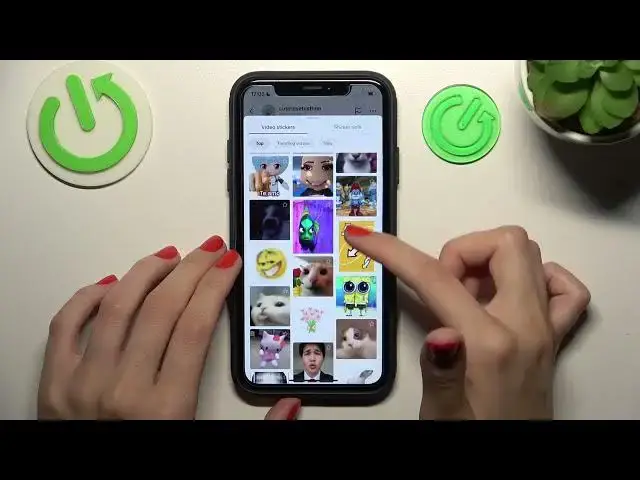
after GIFs you will get another option like stickers. This feature is so good
0:47
and so fine because as you can check here some people created their
0:52
customized very funny stickers using the videos on TikTok. So you can find
0:59
some top video stickers to use, some trending and new one, this is just filters
1:06
and guys you can set the new sticker packs after going to the sticker set
1:11
section you can find the whole list where you can find some stickers you
1:16
want to download or edit. So this edit section means that all of the stickers
1:24
packs are just already downloaded on your account and you can smoothly use
1:30
them after clicking on the use option over beside but I want to download a new
1:34
pack for example this first one after clicking on the add option over beside. So
1:40
guys as you can check right now this sticker set is mostly installed and
1:45
let's click on the use to get access to the new stickers. It's very cute I think
1:50
really funny oh my gosh yes and guys as you can check here we have the list of
1:56
our previously added stickers is a default TikTok stickers but if you want
2:03
you can customize your sticker gallery with the no troubles guys if you like
2:09
this tutorial and think that it was really interesting and useful don't
2:14
forget to like it below don't forget to subscribe to our channel to find even
2:18
more cool tutorials and guides about the TikTok and other programs. Bye guys