0:00
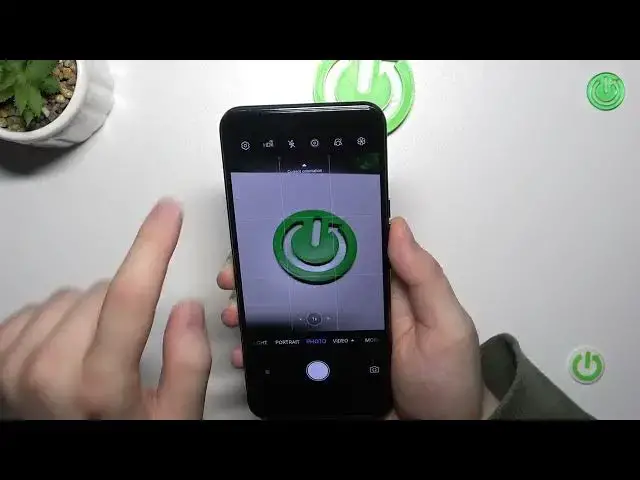
Welcome today I am with the ZD Axon 25G and I'm going to show you camera tips and tricks
0:10
So first let's focus on our camera application in the photo mode and here I'm going to show you how quickly we can adjust the brightness level
0:20
so we can just simply click on the screen once and then move the sun icon up and down to change the brightness level
0:26
You can also make it automatically by tapping on the screen. one. Another tip will be about the volume buttons they are located right here on the
0:35
right side. We can click one's volume up or volume down and as you can see we can
0:41
take photos with these buttons. We can also click and hold one of this button and
0:47
you will take photos with one second interval. It works the same for the volume down button
1:01
When you click and hold your shutter, you are going to record short video even when you are
1:06
in the photo mode. When you try to swipe up or swipe down left or right there is no any function linked it not working like in the Samsung smartphones Next let take a look for the ZAM feature As you can see we can go for the wide lens 1x and the 2x
1:24
And if you want to unlock more zoom presets, click and hold already selected preset
1:30
and you will get this cool slider. And with this one, you can really smoothly zoom and switch between the lenses
1:40
Next, let's focus on this upper bar. upper bar we can click right here and get some cool filters
1:49
If you want to get the original, just take the first one
2:04
Next we can go to the settings where we can enable, for example, camera timer between 1, 3, 10 or even
2:12
even 20 seconds. Take look. When you click on the shutter, there is the countdown on the screen
2:20
And after this time, the photo will be taken. You can also make it quicker by tapping on this shutter button one more time
2:30
Here we can also enable watermark of the ZT and also the date You are also able to get the gridlines that will help us to take better composition on the photos
2:43
Next, we can also use the double tab power key function so we can launch or take snapshot
2:50
Let me show you how it works. As you can see, camera was turned off, but we can take photo without opening this application
3:01
So it's useful when you try to quickly take photo. Let's try to lock the screen
3:07
And even when the screen is locked, we can still take photos with this function
3:18
Right now, we can also switch function of the volume buttons to take zoom, for example
3:25
Let me show you how it works. For me it's even better than this manual slider on the screen
3:40
That's by the way the quality of the 10x zoom on this smartphone
3:45
And with the volume down you can zoom out Next we can go right here to switch function of the long press shutter We can enable for example the burst shot
4:01
So we can take series of the photo by holding our shutter
4:06
So we can take 20 photos in each series. When you open more modes you will also find this monochromatic mode
4:18
You can also click. right here and pick the colors. So if you want to stay only with the green
4:29
as you can see, you can make it easily with the slider
4:34
And as you can see other colors, they are not available right here on the photo
4:39
will only stay with the green. Take a look, the bottom of this water is blue, but on the preview, it's great
4:51
And yeah, that's all tricks for the ZTE Axon 25G
5:00
If you find this video helpful, remember to leave a like, comment and subscribe to our channel