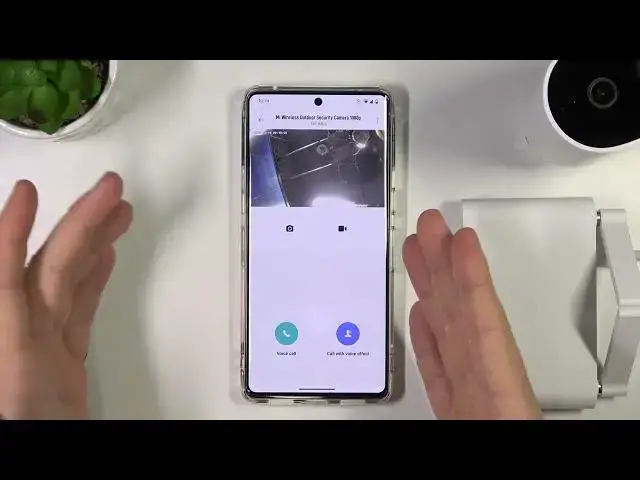

Xiaomi Mi Wireless Outdoor Security Camera 1080p - How To Record Videos & Take Photos
Jul 25, 2024

Check more info about Xiaomi Mi Wireless Outdoor Security Camera :https://www.hardreset.info/devices/xiaomi/xiaomi-xiaomi-mi-home-security-camera-360-1080p/hardreset-third-method/
To record videos and take photos from real-time footage on the Xiaomi Mi Wireless Outdoor Security Camera 1080p, you can follow these steps:
Connect your smartphone to the same Wi-Fi network as the security camera.
Open the Mi Home app on your smartphone.
Tap the "Device" icon in the bottom right corner of the screen.
Tap on the security camera that you want to record from.
The camera's live feed will be displayed on your smartphone's screen.
To record a video, tap the "Record" button in the bottom left corner of the screen. The camera will start recording a video and the "Record" button will change to a "Stop" button. To stop recording, tap the "Stop" button. The video will be saved to your smartphone's internal storage or external SD card.
To take a photo, tap the "Snapshot" button in the bottom right corner of the screen. The photo will be saved to your smartphone's internal storage or external SD card.
I hope this helps! Let me know if you have any other questions.
How to record videos on Xiaomi Mi Wireless Outdoor Security Camera ?
How to save screenshot on Xiaomi Mi Wireless Outdoor Security Camera ?
How to take photos with Xiaomi Mi Wireless Outdoor Security Camera ?
Can i record video on Xiaomi Mi Wireless Outdoor Security Camera ?
#XiaomiMiWirelessOutdoorSecurityCamera #Take #Screenshot
Follow us on Instagram ► https://www.instagram.com/hardreset.info
Like us on Facebook ► https://www.facebook.com/hardresetinfo/
Tweet us on Twitter ► https://twitter.com/HardResetI
Support us on TikTok ► https://www.tiktok.com/@hardreset.info
Use Reset Guides for many popular Apps ► https://www.hardreset.info/apps/apps/
Show More Show Less