0:00
Hello to everyone! And today guys we will show you how to upload high quality videos on Instagram
0:06
So if this topic is interesting and needful let's go to the watching
0:15
At the first step I just need to open my Instagram. We are on the profile page as you can check
0:21
So let's tap on the three lines at the top of the screen and go to the settings
0:27
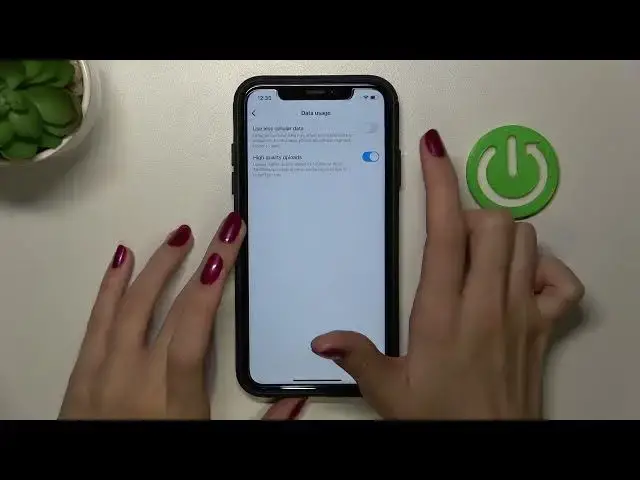
Later we need to choose account and data usage. Well done! And later we have this special feature like high quality uploads
0:39
As you can check you can read about this option below. Which means that from now on you really can upload your video in a high quality
0:47
So let's tap on this switch opposite it to turn on this feature
0:50
Also if you don't want to have this option activated you can smoothly click on the toggle
0:56
and disable it from your account settings. Which is really very convenient to control
1:00
And I hope that from now on you know how to make your content more interesting
1:06
for your followers and to really have a high quality content on your account
1:10
Don't forget about likes and also subscribe to our channel to find out even more cool
1:14
phone tricks and also get to know more about Instagram and other social media
1:19
And guys have a nice day! Good luck