0:00
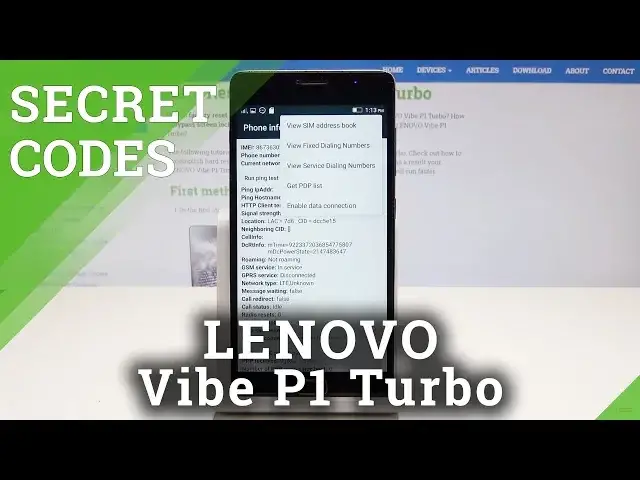
Here I have a Lenovo Vibe P1 and let me show you how to use secret codes on the following device
0:13
At the very beginning let's open the phone's dialer and let's check out the external version
0:17
by using this code. Pound, pound, pound, pound, zero, zero, zero, zero, pound
0:23
And the external version just pops up, tap OK to close this. Now let's open engineering mode, let's use pound, pound, pound, pound, one, one, one
0:34
one, pound. And the engineering mode just pops up, here you can perform auto test, manual test, here
0:40
for example you can test your LCD. If everything is correct let's tap pass
0:46
You can also test your battery, keypad, flashlight, sensors, Wi-Fi, GPS, SD card and a lot of more
0:53
Let's go back. And again let's open the test result if you would like to, here you've got the information
0:59
And here you can also perform the audio test if you would like to
1:04
Let's go back to quit this engineering mode. You can also check out the serial number by using secret codes, let's use pound, pound
1:10
pound, pound, two, two, two, two, pound. And the serial number just pops up, tap OK to close this window
1:17
Alright, now let's open here the following log menu, pound, pound, pound, pound, three
1:24
three, three, three, pound. And the log menu just pops up, here you've got learnable logger
1:30
That's it, let's go back, it's time to open here the phone information, let's use asterix
1:35
pound, asterix, pound, four, six, three, six, pound, asterix, pound, asterix. And the testing menu just pops up, here you can use phone information such as email number
1:46
current network, signal strength, you can run a ping test or use more key in order to
1:50
view sim address book, view fix dialing numbers or get PDP list
1:55
Let's go back, it's time right now to open here the user statistics, here you've got
2:00
the list of all apps, you can read the last time used or usage time
2:04
Use back key again, let's open WiFi information, let's select here WiFi API and here you can
2:10
disable network, disconnect network, enable network or get configured networks. You can also go back and stop the WiFi config, here you've got configured networks, you can
2:20
here refresh all stats and you can also here open the WiFi status, here you can also run
2:26
a ping test. Alright, that's it, let's quit this testing menu, now it's time to open calendar info
2:32
let's use asterix, pound, asterix, pound, two, two, five, pound, asterix, pound, asterix
2:39
and as you can see the calendar info pops up. That's it, let's go back, let's open right now the debug information, let's use asterix
2:48
pound, asterix, pound, four, two, six, pound, asterix, pound, asterix and the Google Play
2:58
service just pops up. Here you can sometimes also open the debug UI, let's try it, let's use asterix, pound
3:05
asterix, pound, seven, five, nine, pound, asterix, pound, asterix and debug UI just
3:11
pops up, here you can change OEM mode or view client IDs
3:15
At the end let me show you how to check email number, let's use the asterix, pound, zero
3:19
six, pound and the email number just pops up. Alright, tap OK and that's it, everything went well, thank you for watching, please
3:26
subscribe our channel and leave a thumbs up under the video