0:00
Welcome! In front of me I have Garmin Venue 3S and I'm gonna show you how to
0:05
set the alarm clock on this watch. First thing we need to do is to wake up the screen on our watch. You can do it by
0:14
pressing any of the buttons or by tapping on the screen. Once you wake up
0:18
the screen press and hold the back button to open the menu. Once you open
0:23
the menu tap on the clocks option and here select the alarms option. And as you
0:31
can see we are in the alarms menu and here we have option called add alarm
0:35
Tap on it. Now set the time on which the alarm should go off by swiping up and
0:40
down on hours and minutes and then you can select a.m. or p.m. and once you're
0:48
done press the action button to confirm. And as you can see the alarm was added
0:54
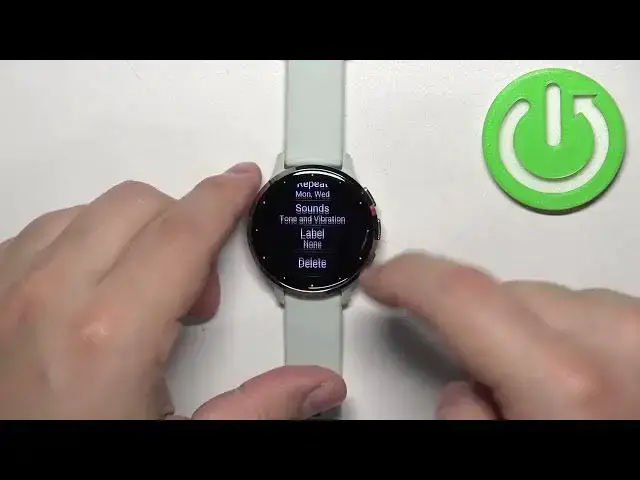
But you can also customize it. To customize the alarm once you add it tap
0:59
on it and here we have the customize menu and we can change the time again. We
1:03
can tap on repeat option and here we can select how often the alarm should repeat
1:08
and we have once. If you select this option it will go off once and it won't repeat. If you select daily option it will go off every day. If you select the
1:16
weekday option it will go off on every weekday. And if you select weekend it
1:20
will go off on every weekend day. And custom option allows you to select
1:25
specific days by tapping on them to check them like that. And once you're
1:30
done you can swipe right to go back. Okay below the repeat option we have sounds
1:35
and here you can select if the alarm should have a sound vibration or both or
1:41
none. If you want to select the option you like and then we have the label. Here
1:46
you can assign the label for the alarm for example wake up. And once you're done
1:51
you can swipe right and here we have our alarm. We can turn it on or off by
1:56
tapping on the switch. We can also have multiple alarms like that. And if you
2:02
want to remove the alarm tap on one and then tap on the delete to remove it. And
2:08
once you're done setting up your alarms you can press the back button a couple
2:12
of times to go back to watch face. And that's how you set the alarm clock on
2:16
this watch. Thank you for watching. If you found this video helpful please
2:21
consider subscribing to our channel and leaving a like on the video