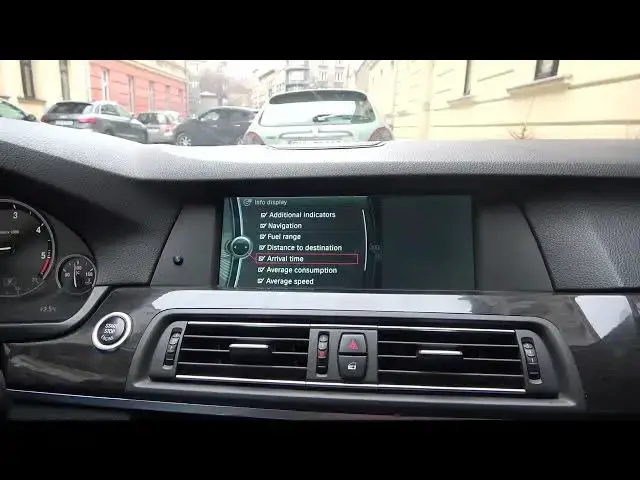

How to Manage Icons and Indicators Displayed On Speedometer in BMW Series 5 F10/F11 ( 2010 – 2017 )
Aug 10, 2024

Find out more info about BMW Series 5 F10/F11 ( 2010 – 2017 ) : https://www.youtube.com/channel/UCZvHdPZzOdONixt5mRRolng
Years of Production:
2010, 2011, 2012, 2013, 2014, 2015, 2016, 2017
Generation:
VI Generation - 6 gen ( 2010 - 2017 )
Series:
Gran Turismo (2010 - 2017)
Touring (2010 - 2014)
Limousine (2010 - 2015)
M5 Limousine (2010 - 2017)
M5 Limousine (2010 - 2017)
Limousine Facelifting (2011 - 2016)
Touring Facelifting (2013 - 2017)
Would You like to know how to Set Icons and Indications Displayed on the Speedometer in BMW Series 5? Thanks to this function in Your car You'll be able to select what You want to be displayed on the Speedometer like Fuel Range, Navigation, or Additional Indicators. Follow the video we've provided above to learn how to manage Your BMW Series 5 better!
Follow us on Instagram ► https://www.instagram.com/hardreset.info
Like us on Facebook ► https://www.facebook.com/hardresetinfo/
Tweet us on Twitter ► https://twitter.com/HardResetI
Support us on TikTok ► https://www.tiktok.com/@hardreset.info
Use Reset Guides for many popular Apps ► https://www.hardreset.info/apps/apps/
Show More Show Less