0:00
Hi everyone, in front of me I've got Oppo Reno8 and let me share with you how to enable
0:11
the night light or eye comfort mode. So we will begin with customization and then I'll show you much faster access to this option
0:19
So let's start with opening the settings and here let's tap on display and brightness
0:24
As you can see right here we've got the eye comfort mode so let's tap and before we will
0:28
be able to customize it we have to turn it on just by tapping on the switcher
0:32
And as you can see the screen immediately changes the color so right now it is let's
0:37
say yellowish or even amber and it is in order to filter the blue light
0:42
What's more it will be much much easier for you to look at the screen at the dim light so if you're a night owl it is the best mode to use for you
0:50
So we can customize it by changing the screen color temperature by going to the left we
0:55
can make it much much cooler and to the right much much warmer it's almost orangish
1:00
What's more here we've got the display effects so currently we've got the color set so of
1:04
course the screen is yellow but the colors are still available so as you can see on the
1:09
switcher it is still green. And we can set black and white option which means simply that everything will be monochromatic
1:17
so everything will be displayed in black white and grey colors. It's up to you I will stick with the color option
1:24
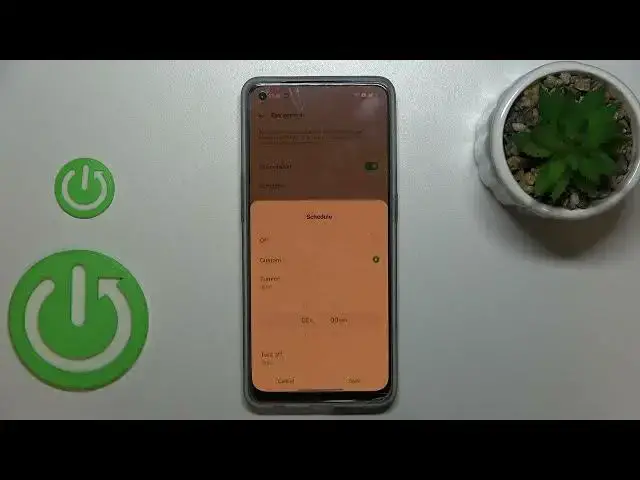
What's more we can schedule that feature so just tap on custom and as you can see the
1:29
turn on and off time immediately appears so we can change it just by swiping so just pick
1:35
the one you'd like to use and remember to tap on save. And as you can see the screen turns to its normal state it is of course because we are
1:42
not between the start and end time. But let me turn it off and turn on the eye comfort
1:50
So basically this is the whole customization of this mode and if you'd like to have much
1:54
faster access to it all you have to do is to simply unroll the top bar and unroll it
1:59
fully and here we've got the eye comfort icon which is currently turned on
2:04
If you want to turn it off just tap on it. If for some reason you cannot find the eye comfort icon here no worries nothing happened
2:11
just tap on this on this edit icon in the right upper corner and the eye comfort will
2:17
appear somewhere here. You can tap on it hold it and then drag it to this panel to later on have much faster
2:23
access to it. So actually this is it. This is how to enable the eye comfort mode in your Oppo Reno8
2:30
Thank you so much for watching. I hope that this video was helpful and if it was please hit the subscribe button and