0:00
Hi guys, today we've heard of NEO GQ70 and I'll show you how to connect to Wi-Fi this device
0:09
So first we should open the settings application and after that tap to network and internet section
0:15
Just to activate Wi-Fi we should click once on the switcher, tap to this section, after that we'll
0:21
see here all the available networks, for example now we can see that we connected here to this
0:28
network, we can't forget this network, the password and just to select the another one
0:37
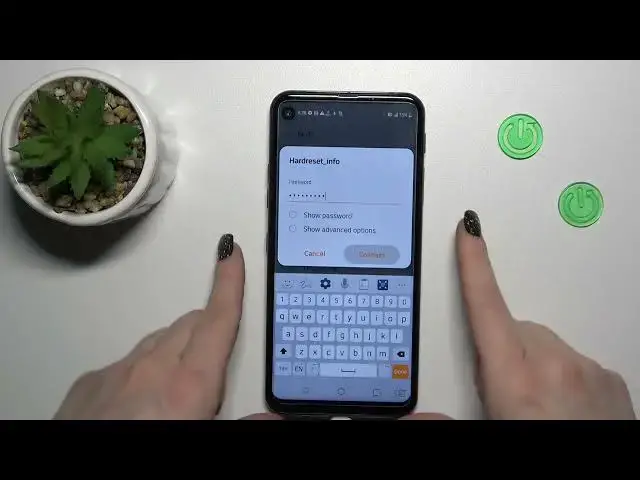
so I just want to show you how to do that. So we just should select the network, here we should
0:44
enter the password, if you want to see this password just click on this checkbox, also you
0:49
can show the advanced options if you want. So let's enter the password, I'll enter it out of screen
0:58
After that just tap to connect, wait a second and we can see that we just successfully connected to
1:04
this network, by the same way we can select just more networks, enter the password, tap to connect
1:10
after that when you'll tap to the right upper corner to this red dot you'll see here the
1:14
saved Wi-Fi networks, so you can switch between them. If you want to just forget it, just by the
1:22
same way click it, but you shouldn't do that every time, so you can connect to two, three
1:27
four more networks in one just time and just switch between them. If you want to turn off
1:32
the Wi-Fi you should just click to the switcher to turn it off and that's it. Also we get one more
1:37
way how we can do that, just first open notification panel shortcuts and then you'll see here the Wi-Fi
1:43
icon, click on this icon to activate the Wi-Fi, to turn it off you should also click on this icon
1:48
and to launch the Wi-Fi settings hold for a while the Wi-Fi icon by this way or just first turn it
1:56
on and after that press and hold it and now we can see the same Wi-Fi settings. So that's it
2:03
thank you for watching and if you find this video helpful don't forget to leave a like
2:07
comment and to subscribe our channel