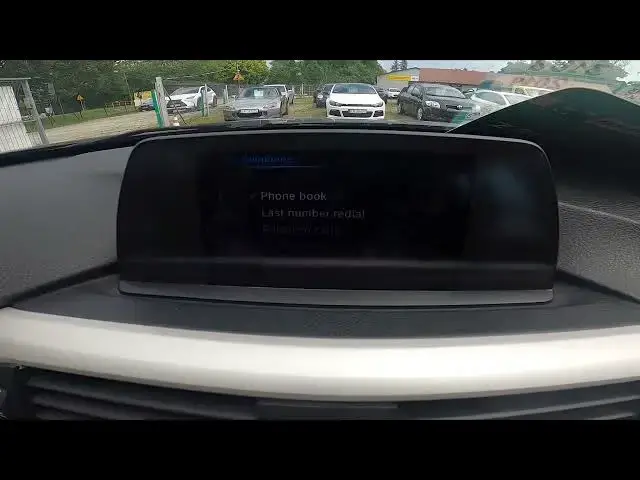

How to Check Contact List on Radio Display in BMW Series 3 F30-F31-F34 (2012-2020) - Open Phone Book
Aug 11, 2024

Find out more info about BMW Series 3 F30-F31-F34 ( 2012 - 2020 ) : https://www.youtube.com/channel/UCZvHdPZzOdONixt5mRRolng
Do You want to know how to Enter Contact List on Car Radio in BMW Series 3? Thanks to that feature You'll be able to quickly make a call without taking out Your phone. If You want to learn how to Find a Phone Contacts Book on Car Radio in BMW Series 3 Follow the video we've provided above!
How to Check Contact List? How to Check Phone Book?
#FindContactsList #PhoneBook #ContactsBook
Years of Production:
2012, 2013, 2014, 2015, 2016, 2017, 2018, 2019, 2020
Generation:
VI Gen - ( 2012 - 2020 )
Series:
Limuzyna (2012 - 2015)
Touring (2012 - 2015)
Gran Turismo (2013 - 2016)
M3 Limousine (2014 - 2015)
Limuzyna Facelifting (2015 - 2018)
Touring Facelifting (2015 - 2018)
M3 Limousine Facelifting (2015 - 2018)
Gran Turismo Facelifting (2016 - 2020)
Follow us on Instagram ► https://www.instagram.com/hardreset.info
Like us on Facebook ► https://www.facebook.com/hardresetinfo/
Tweet us on Twitter ► https://twitter.com/HardResetI
Support us on TikTok ► https://www.tiktok.com/@hardreset.info
Use Reset Guides for many popular Apps ► https://www.hardreset.info/apps/apps/
Show More Show Less