0:00
Hi everyone. In front of me I've got Poco X6 and let me share with you how to add the photo to contact in this device
0:10
So let's start with opening the contact list for example with the usage of the dialer. It's up to you
0:14
Let's tap on contacts here. Let's find the contact you'd like to edit and tap on it. So let me choose this one
0:21
Then we have to tap on this edit icon in the right upper corner so the pencil icon
0:26
And let me quickly remove the photo so basically this is what we will see after entering the contact without any kind of photo attached
0:33
So all we have to do now is to tap on add picture or simply to circle this icon
0:39
And there we will go. We will be transferred to this section
0:44
The device photos, Google photos and illustrations. So illustrations are those online graphics from which you can choose something
0:52
And to be honest if you do not have the photo of the person you'd like to customize, I highly recommend to go to the illustrations
1:05
Because there you've got a lot of beautiful options to choose from
1:10
So I'm pretty sure that you will be able to find something matching to this person
1:16
The Google photos which are basically your backup photos and the device photos
1:20
Where we can enter the gallery or we can open the camera app
1:24
So this is the best option to choose if you've got the person right in front of you
1:28
And if you're able to catch a photo of him or her. But obviously I will choose the gallery
1:34
Now let's find the photo we'd like to use and tap on it. For example this one
1:38
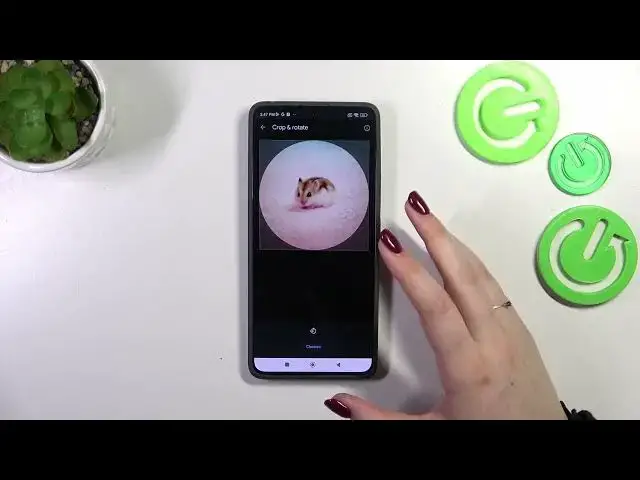
And as you can see in this section we can change the size of the photo
1:44
We can change the position of it. And basically all we have to do is to position everything in this highlighted circle
1:50
As it is the place which is responsible for what we will see after saving the whole contact
1:55
So just position it like you want to of course. And then tap on choose
1:59
And as you can see the photo will immediately appear in the circle. So if you're happy with the result just tap on save
2:05
And this is how our contact will look like. You will be able to see this photo of course on the contact list
2:12
But for example also during incoming calls from that number. Alright so that would be all
2:18
Thank you so much for watching. I hope that this video was helpful
2:22
And if it was please hit the subscribe button and leave the thumbs up