0:00
guys and this is a new video about the tiktok application
0:03
follow our steps if you want to activate the magic cat option on the tiktok
0:12
now that the magic cat feature is one of my favorites on tiktok
0:16
because it's helped to create a very nice like zoom effect for different videos or photos
0:22
without any additional programs you just need to use the tiktok directly
0:28
so guys right now we are on the profile page and to use this magic cat option right now you will
0:34
check it and you will know how does this function work so guys let's tap on the plus icon to create
0:41
a new tiktok i will upload some photo from my gallery i will go to another album for example
0:49
i will use the tiktok and for example set this picture for my new tiktok let's tap on the next
0:59
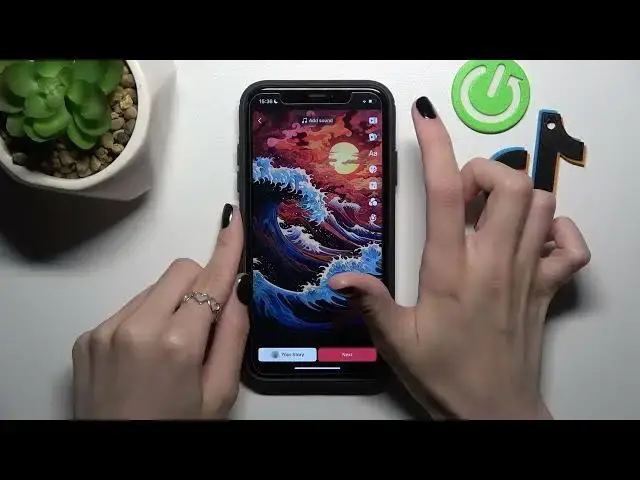
so my selected photo was smoothly added as the new tiktok and i will show you how to
1:06
add this magic cat function remember that the magic cat function works not only with photos
1:15
but with also with videos to edit let's tap on the edit option
1:23
and we have this function here below magic cat as you can check here some functions are
1:30
deactivated because this effect only support supports videos but there are a lot of functions
1:38
that support photos so i really like this photo zoom feature let's check it
1:46
we need to apply it and wait some time before its activation i really like this effect because
1:53
it helps to create a cool effect on photos and it helps to connect different parts of the videos in
2:03
one with the cool interesting effect also i like this puzzle option for the puzzle
2:10
let's check how does this function works very nice i really like it so guys if you like this
2:18
result let's tap on the cross and this effect was added and won't disappear also i want to
2:26
activate some sound let's click a clip sorry click on the add sound function and i want to
2:32
add this feature like a cat okay use well done and let's check this video in the full page format
2:45
so let's save this video and you can also post it to our to your profile i want to add any
2:54
title but but as you can check here we can use each of the usual tiktok settings like
3:00
tech people location more options title select cover hashtags mention and other videos mention we can also add this newly created tiktok to the drafts or post it to the
3:16
profile i will post it and guys i hope that this short tutorial was definitely very useful and
3:23
right now you know everything about this cool option on the tiktok and you have you can smoothly
3:31
use it on your own tiktok don't forget to like this tutorial and subscribe to our channel to
3:37
get more info about the tiktok and other programs goodbye guys good luck