0:00
Hi everyone, in front of me I've got Oppo A38 and let me share with you how to
0:05
show the battery percentage on the status bar in this device. So if you've got only the battery indicator and if you want to have the percentage on the status bar
0:18
all we have to do is to enter the settings and right here let's simply find the option
0:25
notifications and status bar. Then let's tap on no more settings but the status bar again
0:32
and as you can see here we've got some options which are connected with the battery. The main idea of this video was to show the battery percentage so let's start with the
0:41
battery percentage option, just tap on it and as you can see we've got three different options which
0:46
width and the kind of a preview so you can check how they will look like. I've got the inside battery
0:52
icon so the percentage is visible however it is small. We've got also a outside the battery icon
1:00
so it is on the right hand side and as you can see it is much much more visible or do not show
1:07
which you've got probably applied. So it's up to you which option you prefer and a quick disclaimer
1:14
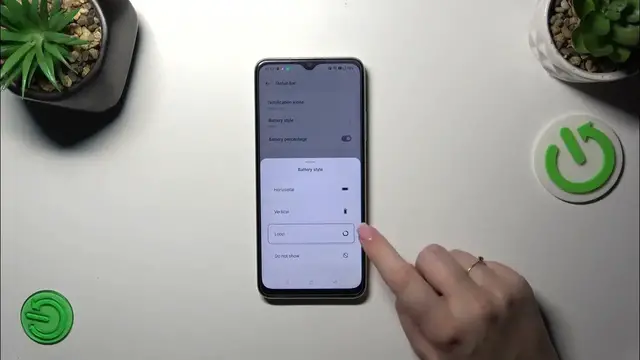
you've got also the style which is really cool because we've got a lot of options to choose from
1:19
So we've got the horizontal, we've got also the vertical option, we've got also the option
1:26
which is not really that standard I would say because we've got the loop or we can simply do
1:32
not show the battery indicator and we will have only the battery percentage so it's up to you
1:37
which option you prefer. I think the loop option is quite nice. What is also important that
1:45
for example if you will pick the loop you will not be able to show battery percentage inside the
1:51
indicator probably because it is too small to also apply the percentage there. All right so
1:57
that would be all. Thank you so much for watching. I hope that this video was helpful
2:01
and if it was please hit the subscribe button and leave the thumbs up