Up next in 10


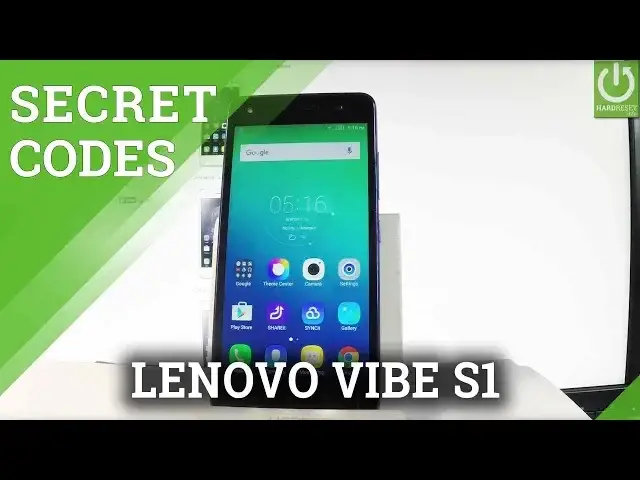
How to use scret codes in LENOVO Vibe S1? How to open hidden mode in LENOVO Vibe S1? How to read phone's inforamtions in LENOVO Vibe S1? How to open advanced options in LENOVO Vibe S1?
Use secret codes in LENOVO Vibe S1. You can read a lot intresting information such as Version Info, Serial Number, Internal Version and Other Info. You may also use Test Mode and MTP Loger.
More Info:
http://www.hardreset.info/devices/lenovo/lenovo-vibe-s1/
Show More Show Less View Video Transcript
0:00
Here I have Lenovo VIBE S1 and let me show you how to use secret codes on the following device
0:10
At first, let me open the phone's dialer, so let's use the phone icon in that corner
0:15
and now you are ready to use our secret codes. So let's use at first the code that allows you checking the version of the device
0:24
Let's type in hush hush, hush hush, 0000 hush. As you can see the version of the Lenovo just pops up
0:33
In order to close this window simply tap OK. Let's use the second secret code which is the factory kit test
0:40
Let's use hush hush, hush hush, 1111 and the hush. As you can see factory kit just pops up
0:51
Here you can choose full test to test all the features and hardware from your device
0:56
PCB test, item test and key B test. Let me choose item test for example and here you can test only the things that you need
1:04
For example the receiver, you've got the male voice, female voice, you have to choose pass
1:13
or fail and here you've got the result of this test. If you would like to quit the test menu let's use a back arrow a couple of times and now
1:22
you may use the phone's dialer again. Then let me show you how to check the internal version of the device
1:31
So let's use the hush hush, hush hush, 5993 hush hush. Let me do it again, hush hush, hush hush, 5993 hush
1:47
As you can see the internal version of the phone just pops up
1:51
In order to close this simply tap cancel. Now let me show you how to check the serial number of the phone
1:58
Let's use hush hush, hush hush, 2222 hush and the serial number just pops up
2:05
To close this window simply tap OK. Now it's time to check the other info
2:10
Let's use the hush hush, hush hush, 8375 hush and the version info and other important stuff
2:20
just pops up. For example you can check here the Android version, the external version, kernel version
2:27
model number and other stuff. Tap cancel. Now let me show you how to open the testing menu
2:33
To open the testing menu you have to use star hush, star hush, 4636 hush star, hush
2:39
star and the testing menu just pops up. Here you can check the phone information, when you've got all specifications about your
2:47
device you can read such things as cell info, roaming, network type, cell status, GSM information
2:55
and other stuff. You can also run a ping test and choose more key, for example to view SIM address book
3:03
or for example to view fixed dialing numbers. Let's go back. Let's choose battery information
3:10
Here you've got all information about your battery such as battery status, battery scale
3:14
battery health, battery temperature and battery technology. Let me go back. You may also choose user statistics
3:21
Here is the list of applications for your device and you can read such things as last
3:26
time used or usage time. Let me go back and this time let's choose VLAN information
3:31
Here you can select VLAN API, when you can disable network, disconnect network, enable
3:36
network, get configured networks or get connection info. Let's go back and choose VLANs config
3:42
If you have configured networks here you have the full specification of them
3:46
Let's go back again and choose VLAN status. Here you've got status about your WiFi, you can read statistics about your WiFi, you can
3:54
refresh them or run a ping test. Let's go back a couple of times and at the end let me show you how to check the email
4:02
number of the following device. Let's use star hash, 06 hash and as you can see the email number just pops up
4:11
In order to close this window simply tap OK. Excellent. Everything went well
4:15
Thank you for watching. Please subscribe our channel and leave thumbs up under the video
Computers & Electronics
Science