0:00
We are glad to welcome you on the Hard Reset YouTube channel and today I'll unbox this
0:05
DJI Mini 2 SE. Without further ado, let's start. If we were to open the box, here you'll find this very, very convenient bag that contains
0:18
all the necessary parts. Outside of the bag in the box you might find your personal receipt, that is mine, and maybe
0:29
some manual information in the paper, like this one, in the folder, like this one
0:36
So let's, well, open this bag first. I mean, obviously it doubles as the storage for your drone if you were to travel with
0:47
your device somewhere. You can store it over here. Very useful and well-made bag, by the way
0:54
Good quality materials. Just overall feels solid. Now let's open it. So inside this bucket there is nothing, but you have this bucket if you need it
1:05
Then let's open the main zip line. And inside you'll find a bunch of wires, both charging wires and the wire that is required
1:18
to connect the controller with your phone. So you'll find everything here
1:23
In my box I have type C to type C wire, as well as type C to microSD, depends on, well
1:32
what kind of port your particular smartphone has. Here you also get in the drone itself the RC, remote controller
1:46
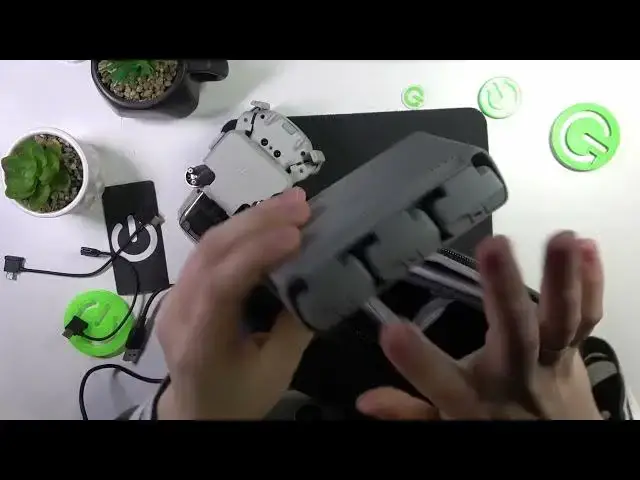
This very useful battery charging compartment, which you can charge three batteries at the
1:52
same time in. So very convenient thing to have. So you can use one wire and one socket to charge three batteries at the same time
2:05
What else? You might also get some boxes like this one. Mine has the LED light for DJI Mini 2
2:13
So yep, if you need them you can mount those lights onto your drone
2:22
So what else? We also have some paperwork here, or that's the manual for my drone
2:30
And some other propellers and, well, just overall spare parts. You should get them like that
2:39
I actually have one, two, seems like two kits of separate parts, or maybe, well, actually
2:51
three kits of spare parts, as well as the screwdriver here, which will allow you to
2:57
change those propellers as necessary. And here we also have the third connecting wire as well
3:05
This one is Lightning to type C. So for all you iPhone users out there, the DJI thought
3:15
about you and added the Lightning wire to their box kit. So as far as everything goes, I guess that'll be it
3:25
That's how the default box kit of this DJI Mini 2 SE looks like
3:33
So I guess thanks for watching, thanks for your attention, and bye bye