0:00
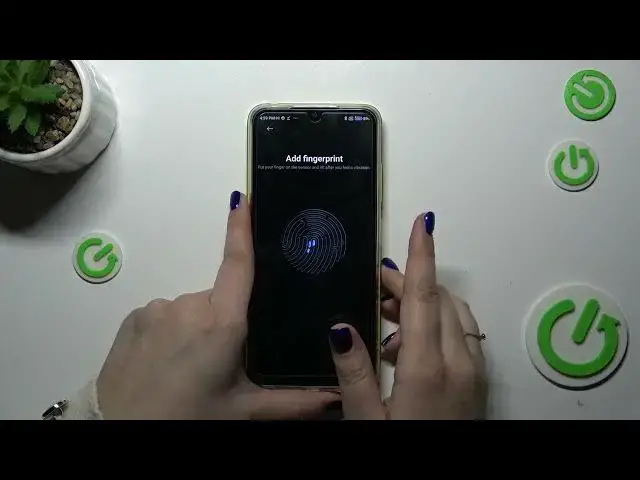
Hi everyone, in front of me I've got Poco M4 and let me share with you how to add the fingerprint to this device
0:09
So let's start with opening the settings and here we have to scroll down to find passwords and security
0:15
Then let's tap on the fingerprint unlock and before we'll be able to set the fingerprint we have to add a regular screen lock like the pattern pin or password
0:23
If you've got one you will be just transferred to another step, if not you have to do it
0:27
So let me choose the pattern, for example Tavon got it. Let's draw the pattern, redraw it and confirm
0:40
Right now we have the information that we have to put our finger on the sensor which is located on
0:45
the power button on the right side of our device. So let me put it there and right now we have to
0:51
do it multiple times in order to add our fingerprint fully. So try to catch every
0:55
corner for better recognition, just change the position of your finger. Okay, if you want you can rename your fingerprint, if not just tap on done
1:10
That's our fingerprint, we can always remove it just by tapping on this option here
1:15
We can add another, I believe we can add up to five different fingerprints. Here we can change the recognition method, the touch or press and to be honest I think the touch
1:24
is more comfortable because whenever you will choose press you will have to put the finger with
1:30
the fingerprint recorded and not only put it but also press the power button. In touch you have to
1:36
simply put it on the sensor. You can decide for what you want to use the fingerprint for, so lock
1:41
screen, privacy password, upload and fingerprint payments, it's totally up to you. So let me lock
1:47
the device and let's check if it is working. Let me put my finger on the sensor and as you can see
1:52
the device is unblocked which simply means that we just added, just successfully added the
1:56
fingerprint to it. All right, so that would be all. Thank you so much for watching. I hope that this
2:01
video was helpful and if it was please hit the subscribe button and leave the thumbs up