0:00
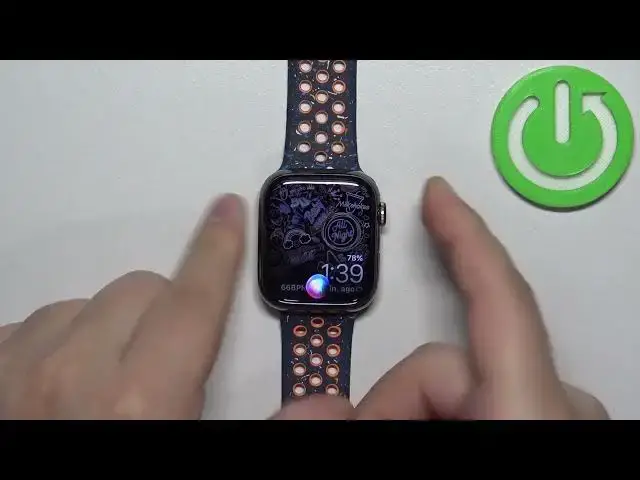
Welcome! In front of me I have Apple Watch 9 and I'm gonna show you how to
0:04
turn on the Siri voice assistant and how to use it on this watch
0:13
First we need to wake up the screen on our watch. You can do it by pressing any of the buttons
0:18
After you wake up the screen press the crown button to open the menu
0:22
Then scroll through the menu, find the settings icon and tap on it
0:26
In settings scroll down and find the option called Siri. Once you find it tap on it
0:33
And by default the Siri will be enabled but if it was disabled on your watch
0:39
to turn it on basically you need to turn on one of the ways to bring her up and
0:43
we have press digital crown, rise to speak or listen for. Enable one of the
0:48
options for example rise to speak and then scroll down and tap on enable Siri
0:54
And now the Siri is enabled and only way you can bring her up is to rise to speak
0:58
unless you turn on other options like press the digital crown button
1:03
or listen for and you can select hey Siri or Siri or hey Siri depending on
1:09
which phrases you want to use. Okay and once you enable specific ways to bring
1:15
her up you can press the crown button to go back to watch this. And now the Siri is
1:20
turned on and to bring her up you can simply say for example hey Siri
1:26
Hey Siri. It should be working. Hey Siri. Weird. Let's press and hold the crown button
1:35
This works okay so tell me a joke. So the crown button works. Let's try hey Siri. What's the weather like
1:51
Okay so it works. It was just bugging out for some reason. So that's how you call
1:56
her up. You can press and hold the crown button if you enable the option or say hey Siri. Hey Siri. Tell me a joke
2:09
Or you can use the rise to speak so basically you need to bring your wrist
2:14
close to your mouth and the Siri should activate. So that's how you turn on the
2:19
Siri voice assistant on this watch. Thank you for watching. If you found this
2:23
video helpful please consider subscribing to our channel and leaving a like on the video