0:00
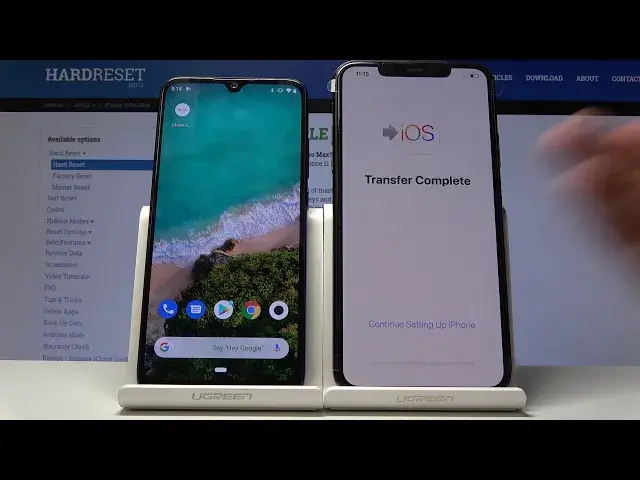
Welcome! Infonim is an iPhone 11 Pro Max and today I'll show you how to migrate
0:09
your data from Android device to an iPhone. So before you get started on your
0:15
old device you will need to download a iOS mover app basically so you just
0:21
unlock device and go into the Play Store. That is here right here and from here
0:29
you want to search for move to iOS and download it. Now as you can see I
0:34
already have downloaded it so I don't need to and from there on the iPhone you
0:41
want to basically progress with the setup till you get to the point where
0:46
it gives you the option to move your from Android to iOS. So let's get to that point
1:09
And there it is. So you have the move data from Android so tap on it and then
1:16
you have a message where you can get the app from so move to iOS and download it
1:21
from App Store. Tap on continue and here is the number that you will need to put
1:25
into the app that we have downloaded. So tap on the app on the Android that you
1:29
have downloaded. Tap on continue again and agree and then next and put the
1:37
number that you have on the iPhone to the Android so 821 544 and it
1:45
automatically gonna start connecting to it. Now I'm not entirely sure how it
1:54
moves the data I think it might be through Wi-Fi so it would probably be
1:59
advised for you to have connection to network and also it didn't really give
2:05
me any option right here so just tap on done. So it basically copies everything
2:14
Before you should get a little message box with selection that you can just
2:21
check whatever you want to move but I think before I tried this before it just
2:25
automatically went straight back to copying it without actually giving me the option so super mighty nice of them. But you would basically have the option
2:34
to copy I mean in this case on this device I only had two things I think
2:38
like Google sign-in so basically the account and and some data there was
2:45
nothing really else on this device first device but in normal circumstances you
2:49
should have an option to copy messages emails and basically everything that is
2:55
on the device. So yeah just tap on I agree. Now that is basically how you would
3:01
do it I don't think I will have any way of showing it any effect on this device
3:06
considering there is nothing really to move and that's probably for the better
3:10
because I'm not sure if I would be moving let's say music or something like
3:14
that how long it would it would take. Just continue and let's see there is
3:24
like any indication that that I have some kind of data copied would assume it
3:36
would be probably like Google. Let's just see if it was even logged in. It had to be
3:48
but yeah I mean the gist of it is that's basically how you would do it so yeah if
3:53
you found this video helpful don't forget to Like subscribe and thanks for watching