Up next in 10


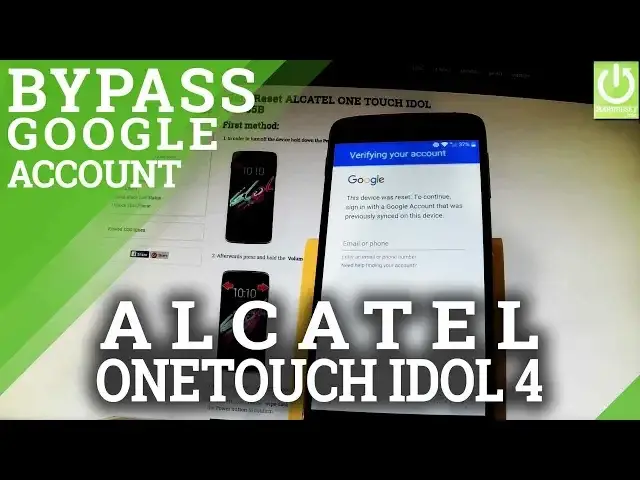
How to bypass google account on ALCATEL ONE TOUCH IDOL 4? How to bypass google verification on ALCATEL ONE TOUCH IDOL 4? How to remove frp in ALCATEL ONE TOUCH IDOL 4? How to active ALCATEL ONE TOUCH IDOL 4 without google account?
This video presents the way of bypassing Factory Reset Protection. You can skip google verification and active ALCATEL phone without google account.
More Info:
http://www.hardreset.info/devices/alcatel/alcatel-one-touch-idol-4-6055b/
Show More Show Less View Video Transcript
0:00
Here I have Alcatel OneTouch 4 idle and let me show you how to bypass google verification
0:10
on the following phone, so saying in other words how to remove factory user protection
0:15
As you can see here I have my device after hard reset and at this point of initializing
0:20
process I have to enter my email and password to my google account
0:24
So let me just show you how to bypass this step. At the very beginning you have to activate your keyboard right here and use more button
0:32
this one from the left, so let's tap it and as you can see here you have some option of
0:39
your swift key, let's choose share swift key, at first of course you have to be on accounts
0:46
tab right here, the one from the left and choose share swift key right here
0:53
Here you can choose some applications so let's scroll down and let's use gmail, but you have
1:00
to hold down gmail for a little bit longer, so let's hold down gmail and that's it, app
1:06
info should shows up, now you can use the following menu, let's choose and select notifications
1:14
then select app settings right here, choose more button in that corner and select manage
1:21
accounts, tap continue and as you can see the settings of Alcatel just pops up, so that's
1:29
what we need. Let's scroll down and you should find under personal tab google, let's tap google, then
1:38
select search and now, this option, afterwards you have to choose now cards and let's enable
1:49
show cards right here, excellent, now you have to choose no thanks right here and now
1:57
you can use a google searcher, at first let me open chrome, so let's type in chrome, the
2:03
chrome app just pops up, let's tap it, choose accept and continue, select no thanks and
2:14
now you can use a chrome, let me type in a searcher the following text, test dpc, have
2:30
a look, it should be something like that and let's tap search, excellent, let's choose
2:43
the first link right here, test dpc 2.0.6, scroll down and here you should find download
2:56
api key button right here, let's tap it, as you can see your download is starting, tap
3:09
update permissions, choose allow, tap ok and now you can open your file, so let's do it
3:21
let's tap this app right here, you can choose package installer, the first one, it could
3:28
be just once, install blocked but don't worry, let's choose settings and let's enable unknown
3:36
sources right here, tap ok and let's go back and tap our app one more time and let's choose
3:45
package installer, choose install, tap open, now it's important to select setup device
3:58
owner, the second one and choose setup, tap setup one more time and ok, excellent, now
4:13
let's tap our app one more time, right here, choose install one more time, tap open and
4:26
as you can see policy management just pops up, now you have to scroll down to the bottom
4:30
of the list and here you should find wipe data, let's choose wipe data and from the
4:39
following options of course let's choose also wipe factory reset protection, the second
4:45
one, tap ok to confirm it and now the device is performing factory reset operation and
4:54
also deleting factory reset protection, so wait until the whole operation will be completed
6:55
Excellent, as you can see welcome panel just pops up, so now let's go for the initializing
7:01
setup, let's go next, you don't have to insert any sim card so let's skip it, let's bypass
7:11
selecting wifi by tapping skip, skip anyway, choose next, next, you don't have to protect
7:20
your phone with pattern protection so let's unlock it and choose skip, tap skip anyway
7:28
let's go next and finish, choose start and excellent, that's it, as you can see now you
7:39
can use your phone so it simply means that the factory reset protection has just been
7:44
removed and bypassed. Thank you for watching, please subscribe our channel and leave thumbs up under the video
Computer Security
Software
Internet Software
Science
Technical Reference