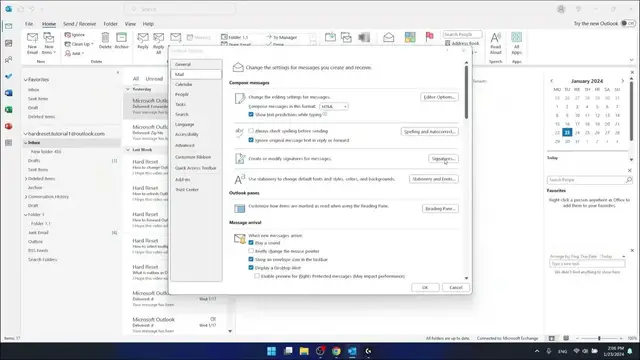

Where is Signature in Outlook
Mar 3, 2024

Find out more: https://www.hardreset.info/apps/apps/
Unlock the secret to professional and personalized emails with our definitive guide on finding and customizing your signature in Outlook. Tailoring your email signature is a crucial step in establishing your personal or brand identity, ensuring every email you send out carries a part of your professional persona. This video is meticulously crafted to guide you through the process of locating the signature settings in Outlook, offering insights into creating, editing, and applying unique signatures across your email correspondence. Ideal for professionals, entrepreneurs, and anyone looking to add that personal touch to their digital communications, our tutorial simplifies the process, making it accessible to users of all skill levels. Dive into the world of Outlook with us, and learn how to make your emails stand out with a signature that speaks volumes about who you are and what you represent!
#OutlookSignature
#ProfessionalEmailTips
#OutlookTutorial
Relevant "How to" Questions Related to the Video Content:
How to navigate to the signature settings in Outlook?
How to create a new email signature in Outlook?
How to edit an existing signature in Outlook for a fresh look?
How to apply your signature to emails automatically in Outlook?
How to include images or logos in your Outlook email signature?
Follow us on Instagram ► https://www.instagram.com/hardreset.info
Like us on Facebook ► https://www.facebook.com/hardresetinfo/
Tweet us on Twitter ► https://twitter.com/HardResetI
Support us on TikTok ► https://www.tiktok.com/@hardreset.info
Show More Show Less