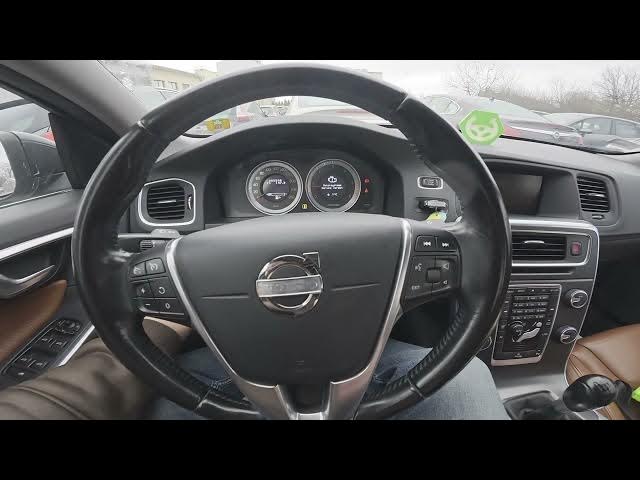

Volvo S60 II (2010-2019) - How to Adjust Instrument Cluster Brightness
Jan 6, 2026

Learn how to adjust the instrument cluster brightness on a Volvo S60 II (2010-2019). In this short, clear video you will see exactly where the control is and the quick steps to change dashboard and instrument cluster lighting. We'll show the panel location behind the left side of the steering wheel, explain why you need to enable Deep Beam first, and demonstrate how to move the brightness slider to get the perfect dash illumination for day or night driving. This method applies to Volvo S60 II models from 2010 through 2019 and helps when the dash is too dim at night or too bright during daytime.
How to adjust instrument cluster brightness on Volvo S60 II (2010-2019)?
How to change dashboard brightness on Volvo S60 II (2010-2019)?
Where is the instrument cluster brightness control in Volvo S60 II (2010-2019)?
0:00 Intro – what we will change
0:07 Locate the panel behind the left side of the steering wheel
0:18 Enable Deep Beam and move the brightness slider
0:31 Outro, tips and subscribe
#VolvoS60 #InstrumentCluster #DashboardBrightness #CarTips
Find out more:
https://www.hardreset.info/devices/volvo/volvo-s60-ii-2010-2019/how-to-adjust-instrument-cluster-brightness-level/
Follow us on Instagram ► https://www.instagram.com/hardreset.info
Like us on Facebook ► https://www.facebook.com/hardresetinfo/
Tweet us on Twitter ► https://twitter.com/HardResetI
Support us on TikTok ► https://www.tiktok.com/@hardreset.info
Show More Show Less