0:00
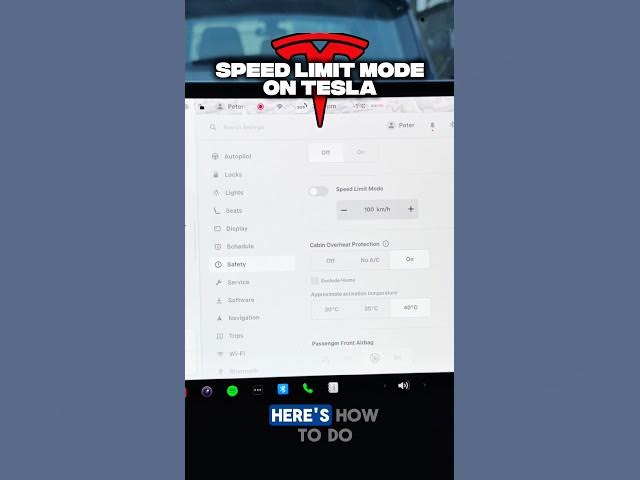
Did you know you can lock your Tesla top
0:02
speed? Here's how to do it. At the very
0:04
beginning, of course, you need to find
0:05
and use the settings. Choose the safety
0:07
tab. Scroll down and as you can see
0:09
here, you've got the speed limit mode.
0:10
Let's adjust the slider to your desired
0:13
speed limit. In my case, it will be 120
0:15
km/h. And now, let's enable the speed
0:18
limit mode. You need to enter the
0:20
fourdigit code so no one else can change
0:22
it. So, let me use my code. And as you
0:25
can see, just enable the speed limit.
0:27
This is different from your autopilot
0:28
offset which only limits the cruise
0:30
control. You can also turn this on the
0:32
remote team by using your Tesla app if
0:34
someone else is driving. This is perfect
0:36
for new drivers or valid parking. Sub