0:00
Hi everyone, here with Garelmi C3 and let me share with you some secret codes which we can use on our device
0:13
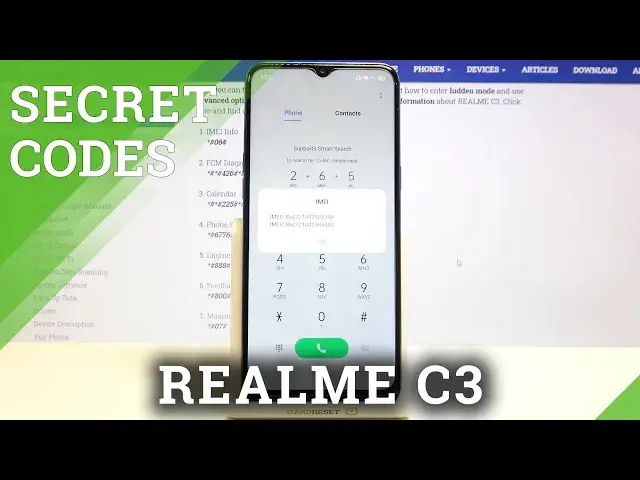
So firstly, let's enter the dialer because this is obviously the place where we will enter all of those codes and let me begin with the shortest and probably the most known one, which is asterisk pound, 06 pound
0:26
And as you can see by this code we are provided with both. in main numbers of this device
0:32
Let me tap on OK and let me show you another code which is very similar to the previous one
0:37
It is asterisk pound, 07 pound. And thanks to this code, we are provided with the maximum SAR level of this device so we can
0:45
check the head and the body. Let's tap on OK and let me show you another code which will open the calendar info
0:52
It is asterisk pound, asterisk pound, double to five pound asterisk pound asterisk
0:58
And as I said, we are in a calendar info, so here we've got all the events in one place
1:03
We can check some family events, some holidays in your country should appear right here
1:07
or events attached to your mail. So this is the best place because here we got all the events grouped into particular sections Let me get back and let me show you another code which will open the diagnostics
1:20
It is asterisk pound asterisk pound 4 to 6 pound asterisk. And as I said, we are in a diagnostic so here we can check the server, host board, time connected and signal level
1:32
After tapping on events we can check some, let's say technical info
1:38
What's more we can show advanced view? just by tapping on this 3.2 in the right upper corner and a marking the advanced view
1:44
After tapping on the status again, we can check some further details, for example
1:49
like hardbeat, last ping or hb algorithm. Let me get back because that's all for this code
1:55
and let me open the phone software info, and the code for it is asterisk pound
2:02
6-776 pound. And as I said, we are in a software version, so here we can check
2:10
for example the model name the basement version kernel master date or a branch branch version
2:18
build time or modern version so quite a lot of technical info let me get back and let me enter the
2:24
engineer mode and the code for it is asterisk pound triple eight pound and here we got the QR code which we can scan with another device in order to check the info about this one about this
2:39
real me what's more here we can check the PCB number let me get back and let me show you
2:46
the last code which will open the feedback menu and the code is asterisk pound
2:51
eight double zero pound And as I said, we are in a feedback
2:57
So here we can just, we have to tap on okay. We can enter the user and let me get back
3:04
And as you can see, as I said, we are in the feedback. So here you can enter this code if you meet some strange problems with your device
3:13
For example, with the fingerprint recognition, with face recognition, with Bluetooth Wi-Fi, and so on and so on
3:20
We've got quite a lot of options. and you will be able to report this issue
3:26
So after tapping, for example, on the touch screen, you will be able to start recording
3:32
So your device will record videos for maximum 30 minutes long and it will catch any problems you meet So after tapping on start logging you will have to wait a second And right now your device as you can see is counting So it means that it is recording the screen
3:52
And it will, after saving, after tapping on stop logging, it will be saved. And we will be
3:58
transferred to the feedback section. So here we will be able to add the title, contact and name
4:04
And you will be able also to describe the problem you meet. And after here, you will be
4:09
able to attach the screenshot or the video you just recorded and tap on save
4:15
And thanks to this, you will be able to report your issue, the problems you meet
4:22
What's more here, we've got the suggest section and it is quite cool option because here
4:27
you can suggest some changes, you can suggest to the developer what you would like to see
4:33
in the next RealMe. So actually, that's all. This is how to use secret codes in your RealMeC3
4:41
Thank you so much for watching. I hope that this video was helpful and if it was, please hit the subscribe button and leave the thumbs up