live_tv
Livestream Starting Soon
00
Hours
:
00
Minutes
:
00
Seconds
Up next in 10


Oppo A53S — remove family link ENGLISH
Show More Show Less View Video Transcript
0:00
Hi, today I'll show you how to remove family link or
0:04
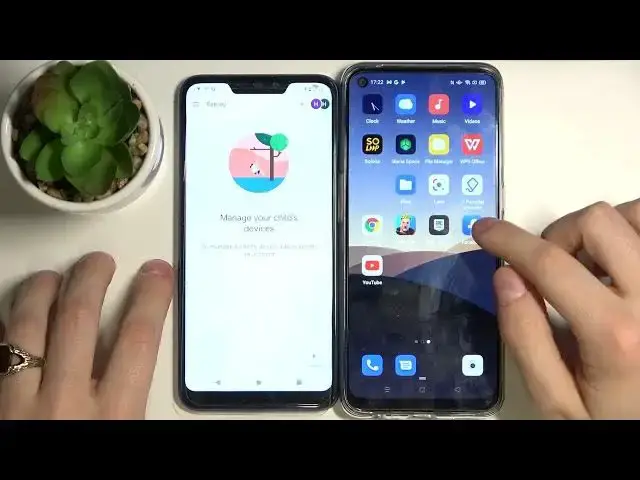
parental controls from Oppo A53s So on the right side we have our phone and on the left side is parent's phone
0:20
If we'll try to remove parental control Our phone will say that failed to delete
0:33
So what should we do? Let's go to settings Then go to Google
0:41
Manage your Google account Start dating privacy
0:53
Scroll down, delete your Google account Enter your password Scroll down
1:18
Press here and also right here And now click on delete account
1:25
As you can see we have some problem because parental control just blocked Google Chrome on our phone
1:33
So we don't have any browser But if we'll update our parent's phone, something is alright
1:41
If we'll go back, that's it, our phone is gone So now we get our applications back
1:52
That means that we can delete our parental control So that's it
2:02
But we just removed our Google account If you want to get it back, just go to settings
2:08
User and accounts Add account Google Now enter your email
2:22
And your password As you can see this account was recently deleted
2:30
And you can restore this account Press next Now enter your password
2:45
If you have this problem, like something went wrong That's ok, just press next
2:51
And enter again your email and password Ok, so now press I agree
3:16
Accept And now you can see your account is back And you can see your Google account
3:26
And you can see your Google account And you can see your Google account
3:30
And you can see your Google account And you can see your Google account
3:34
And you can see your Google account And you can see your Google account
3:38
And you can see your Google account And you can see your Google account
3:42
And you can see your Google account And you can see your Google account
3:46
And you can see your Google account And you can see your Google account
3:50
And if you'll go to parental controls As you can see there is nothing
3:56
So we just deleted or removed our family link So that's it
4:04
Press like, subscribe to our channel And see you next time