
MOTOROLA Razr 70 Ultra – WiFi 7 & Bluetooth 5.4 Connectivity
Jun 7, 2026

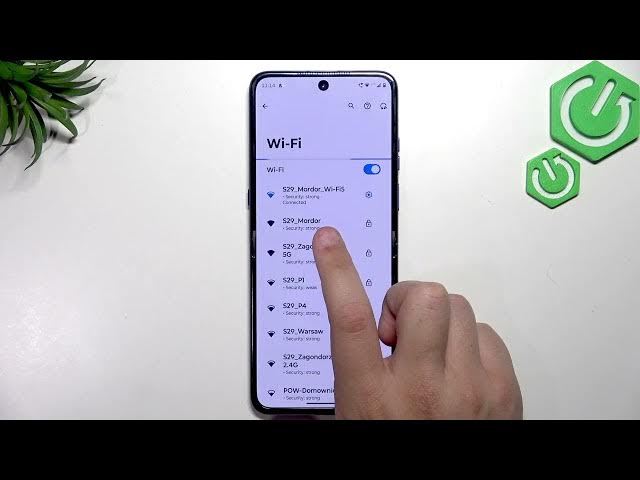
In this video we show how the MOTOROLA Razr 70 Ultra handles modern wireless connections: WiFi 7 (802.11be) and Bluetooth 5.4. You’ll see which WiFi bands are supported (2.4 GHz, 5 GHz and the new 6 GHz) and how the phone indicates a WiFi 7 connection. We also demonstrate pairing a Bluetooth device (AirPods 3 Pro) and explain the benefits of Bluetooth 5.4 like lower latency and better power efficiency. Follow along to learn where to find these settings, how to connect, and what router or accessory requirements you may need for full WiFi 7 and Bluetooth 5.4 performance on the Razr 70 Ultra.
How to connect MOTOROLA Razr 70 Ultra to WiFi 7?
How to pair Bluetooth 5.4 devices on MOTOROLA Razr 70 Ultra?
Does MOTOROLA Razr 70 Ultra support 6 GHz WiFi (WiFi 7)?
0:00 Intro – what we’ll cover
0:09 Confirmation: Razr 70 Ultra supports WiFi 7 (Snapdragon 8 Elite)
0:30 WiFi 7 details – 802.11be, multi-link operation, bands (2.4/5/6 GHz)
0:55 Checking WiFi network and icon – 6 GHz and WiFi 7 indicator
1:16 Note about router and internet requirements
1:30 Bluetooth 5.4 overview – benefits (latency, power)
1:45 Pairing demo: Connected devices → Pair new device
1:58 Pairing AirPods 3 Pro and connected status
2:12 Final tips – device and network requirements
2:28 Outro / subscribe
#MOTOROLA #Razr70Ultra #WiFi7 #Bluetooth54
Find out more:
Show More Show Less #Science