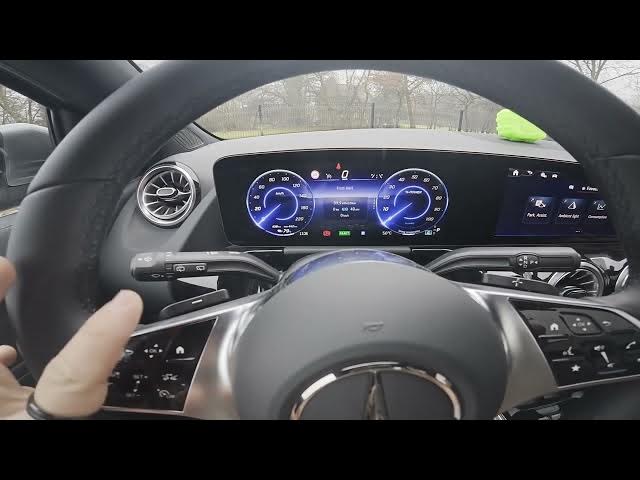

MERCEDES-BENZ EQA – How to Navigate the Instrument Cluster Display
Jan 2, 2026

In this video I show how to navigate the instrument cluster display on the MERCEDES-BENZ EQA. You will learn how to open the cluster menu using the Home button, swipe left/right and up/down to move through menus, press OK to reset values, and change the display color and view. This quick and clear guide covers the main cluster modes — Sport, View, Classic — plus Navigation, Assistance and Service info so you can customize your digital dash with confidence.
How to navigate the instrument cluster display on MERCEDES-BENZ EQA?
How to change the instrument cluster view on MERCEDES-BENZ EQA?
Where is the Home button for the instrument cluster on MERCEDES-BENZ EQA?
0:00 Introduction — MERCEDES-BENZ EQA instrument cluster overview
0:21 Open the instrument cluster menu — press the Home button
0:39 Navigate menus — swipe right/left and swipe up/down, press OK to reset values
0:57 Cluster views explained — Sport, View, Classic, Navigation
1:20 Assistance & Service info — change color and wrap up
#MercedesBenz #EQA #InstrumentCluster #CarTips
Find out more:
https://www.hardreset.info/devices/mercedes-benz/mercedes-benz-eqa/how-to-navigate-through-instrument-cluster-display/
Follow us on Instagram ► https://www.instagram.com/hardreset.info
Like us on Facebook ► https://www.facebook.com/hardresetinfo/
Tweet us on Twitter ► https://twitter.com/HardResetI
Show More Show Less #Autos & Vehicles
#Motor Vehicles (By Type)
#Science
#Mercedes-Benz