0:00
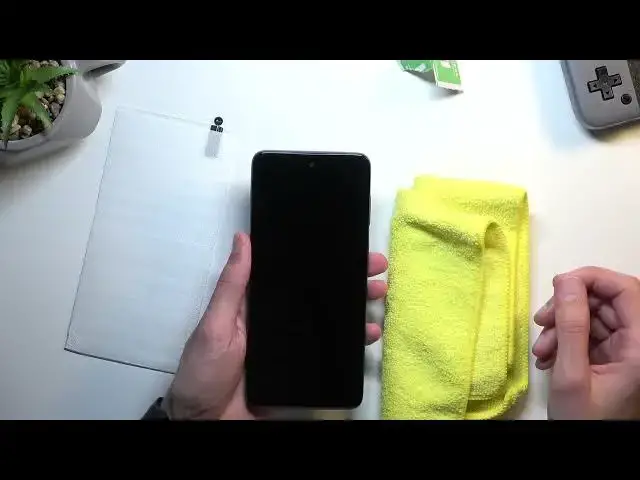
Welcome. In front of me is a Morolla MotoE 32 S and today I'll show you how you can apply a tempered glass to this phone
0:13
Now for this I'll be using tempered glass that isn't necessarily designed for this specific device but that will not really matter because it will this specific one will still work just fine
0:25
If I just try fit it you can see that it fits almost perfectly over this display
0:29
So there we go. So that's what I'm going to be using
0:34
And still the method of application for temperate glass doesn't really change much
0:39
So as long as you know how to apply it, nothing changes
0:43
So anyway, let's just get into it. I'm going to grab my little microfiber cloth
0:49
Just because the tempered glass I have right here is pretty cheap. So the wet and dry wipe that comes provided with these
0:59
These are just absolutely awful. I'm going to test out some things to have wet wipe
1:05
This one actually is still wet. I think so, yep. This one is still wet
1:13
The reason I surprised by this is because the last 10 that I have opened were already dry So it kind of nice to see that this one is still moist in some way Now to be completely honest the size of these is pitiful as you can see So have fun wiping this
1:30
like this and also the solution that they use is just kind of weird leaves smudges on the
1:36
display which I personally don't like. So I'm going to be using microfiber cloth
1:40
Obviously for the most of you you will have something better than this. That probably comes
1:44
with like one of these little cloths, these are amazing. So you can use those
1:49
And obviously, most of them also come with some kind of like alcohol pad like these ones
1:55
just actual alcohol, isopropyl or some along those lines, like this. So they will also work pretty well
2:05
But obviously if you don't have anything great, you can use a microfiber cloth, even if you get one of these and you don't have anything else, just use a t-shirt
2:12
It will probably still do the better job. Then these wipes. Now once you have your display nice and clean as I do
2:20
you can then start applying the glass. Now, I did clean off the display for no real reason right now
2:27
because I'm going to smudge it up anyway right now by showing you how you can apply temperate glass
2:32
So once you peel off the number one, you're always going to start with number one
2:36
So just kind of whoop peel that off Whatever you holding with that one you just throw out And this will reveal a sticky side on a temporary glass right over here So you would then flip it like this and place it on the display Now once you ready I start applying it at an angle like this
2:55
This will allow you to shift it from side to side on the top. So you want to pinch it from both
3:01
sides like this. Place it at an angle and then also while pinching a little bit of the display
3:07
the phone bezels, you can then shift it from left to right and with your other hand you
3:12
can pull it, push it depending on how much you need it to be aligned right here at the top
3:19
And obviously by pinching the display with the tempered glass you can then shift it from left to
3:23
right so it's evenly spread from both sides. And from there maneuver it at the bottom to fit it correctly
3:32
And the same way you want to pinch the bezels of the phone a little bit so you know where
3:37
the middle part is and then just simply drop it and hopefully it will be right in the middle if you
3:42
aligned everything correctly now the only thing that you should really pay attention to the most is
3:48
if you have a whole punched camera or or anything like a cutout just align it correctly with the camera
3:53
right here make sure that it is aligned correctly from both sides right over here and then do the same
3:59
thing with alignment at the bottom and that basically all the things that you need to worry about Okay so I going to now give another wipe just to get rid of all the smudges that I have created
4:10
Now once you get rid of any kind of smudges you want to also be aware of the dust that might settle
4:19
Get rid of it if you can, or just get rid of it in general
4:24
make sure that there is no dust on the display because that might create air bubbles under your tempered glass
4:29
your tempered glass. Once you're ready, just jump straight into applying the tempered glass
4:34
So like this. And there we go
4:59
And as you can see it's pretty nice on there. Also nicely spread, so evenly spread from both or both all sides
5:10
So yeah, there we go. Now if you found this very helpful, don't forget to hit like, subscribe and thanks for watching