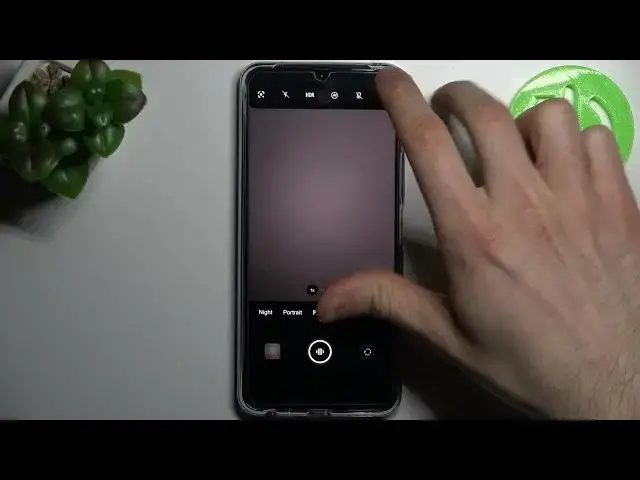

How to Use Live Photo in VIVO Y76 5G – Add Movement to Photo
Jul 1, 2024

Learn more info about VIVO Y76 5G: https://www.hardreset.info/devices/vivo/vivo-y76-5g/
If you’d like to make the photo as unique as possible, then let your VIVO Y76 5G do the work! In this video we would like to show you not only how to turn on, but also how to use the live photo! This feature will allow you to give life to a picture by adding movement! So let’s follow all shown steps and successfully use live photo!
How to turn on motion photo in VIVO Y76 5G? How to manage motion photo in VIVO Y76 5G? How to apply motion pictures in VIVO Y76 5G? How to activate Live Photos in VIVO Y76 5G? How to use Live Photos in VIVO Y76 5G? How to enable Live Photos in VIVO Y76 5G? How to disable Live Photos in VIVO Y76 5G? How to change photo mode in VIVO Y76 5G? How to Edit Live Photos in VIVO Y76 5G? How to Edit Live Images in VIVO Y76 5G? How to turn on Live Photos in VIVO Y76 5G? How to Turn off Live Photos in VIVO Y76 5G? How to Turn On Live Images in VIVO Y76 5G? How to Turn Off Live Images in VIVO Y76 5G?
#MotionPicture #LivePhoto #VIVOY765G
Follow us on Instagram ► https://www.instagram.com/hardreset.info
Like us on Facebook ► https://www.facebook.com/hardresetinfo/
Tweet us on Twitter ► https://twitter.com/HardResetI
Support us on TikTok ► https://www.tiktok.com/@hardreset.info
Use Reset Guides for many popular Apps ► https://www.hardreset.info/apps/apps/
Show More Show Less