0:00
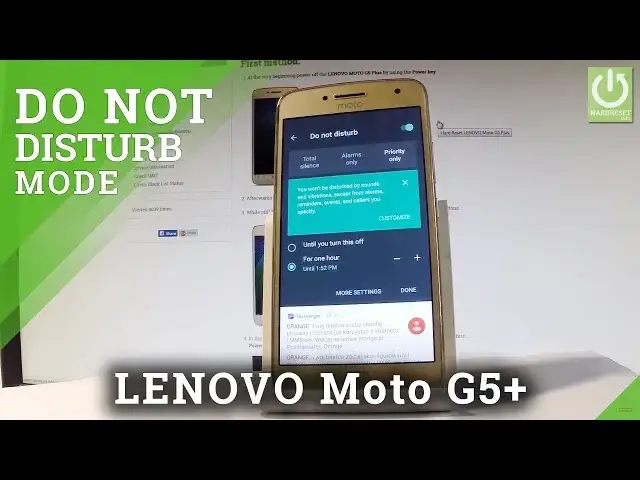
Here I have a Lenovo Moto G5 Plus, let me show you how to use Do Not Disturb mode on
0:09
the following device. So at the very beginning let me start by using a home screen, let's use an upper bar and
0:16
if you would like to quickly turn on Do Not Disturb mode let's choose right here Do Not Disturb
0:22
Now you have to choose the mode of Do Not Disturb, you can choose Total Silence and
0:27
this blocks all sounds and vibrations including from alarms, music, videos and games but you'll
0:32
still be able to make phone calls. You may also choose Priority Only and you won't be disturbed by sounds and vibrations
0:39
except from alarms, reminders, events and colors that you previously specified. In my case let me choose Alarms Only, you may also choose for example that you would
0:50
like to turn on Do Not Disturb mode for an hour, for two hours or for some other period
0:56
of time, you may also choose until you turn it off. Let me tap Done and if you would like to change some other settings about Do Not Disturb let's
1:05
find and select the settings, scroll down and let's choose Sound, here you can choose
1:14
Do Not Disturb and you can for example change the priority rules, you can disable reminders
1:20
events, handles with repeat colors and messages. Let's go back, you may also choose some automatic rules, for example you can turn on automatically
1:29
Do Not Disturb mode every weekend, every weeknight or every customized route
1:34
Let me go back and if you would like to disable Do Not Disturb let's use upper bar twice again
1:40
and tap Alarms Only and right now we are using a normal mode
1:44
So that's it, thank you for watching, please subscribe our channel and leave thumbs up under the video