0:00
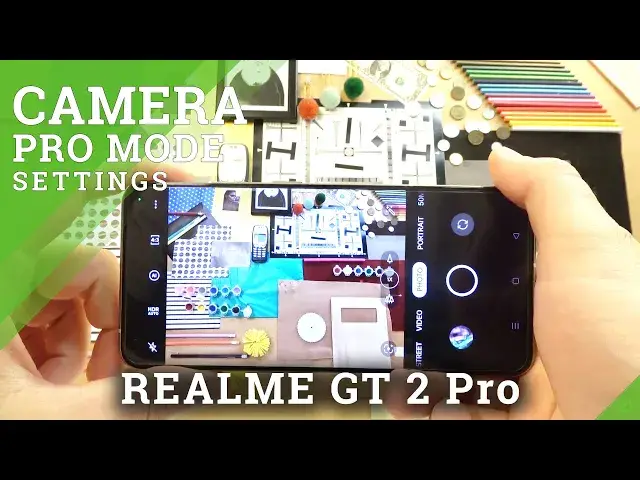
Welcome. So today I'm a RealMeagget2 Pro and I'm show you a couple camera tricks
0:11
And at the first we are going to simply start from the standard modes and we can go for the automatic and minorly brightness adjustment
0:22
So normally when you want to adjust brightness level we have to just tap on the screen right and as you can see the phone automatically adjust the brightness level
0:29
the brightness level. But when you move this sun icon you can decrease and increase brightness level
0:39
It also works any other modes like for example in the video mode but right now this slider
0:48
you will find at the bottom of the screen. In that place. Okay so right now we can go forward
0:56
and we can for example change color and the temperature. To make it you have to click in this place
1:02
Switch to the filters and as you can see right now we can find default presets
1:10
So for example if you want to take photo with this one for example
1:15
just select click on the shutter and right now we can record video
1:21
just like that because we are actually in the video of course it works the same in the photo mode
1:26
If you want to get rid of that filters, you have to go back and pick original
1:35
It works the same in the photo and the video mode. Just like that
1:41
Okay, next tip, how to zoom in and zoom out. So basically you can find right here three presets It ultra wide lens normal lens and for sure there is this Then are lens But when you click another time you will find two additional presets 5x and 10x
2:03
And also you are able to use this slider. As you can see with this slider, we can smoothly zoom in and zoom out just like that
2:14
It works the same when you pinch screen with the two fingers. You can hold with one and with the second you can just zoom in
2:29
You can try to focus on the object in front of you
2:35
Okay so that was about the zooming. When you click and hold the shutter, you can take series of the photo
2:42
When you click once you can take photo. When you use the volume buttons that you will find them right here, take a look
2:51
You can also take photos and when you click and hold, just like that, there's nothing linked
2:58
with the volume up, but when you click and hold volume down, you can also take serious of the photo
3:03
Okay, right now when you click on this three dots, you can find delay to our shutter, three or
3:10
ten seconds, so when you pick this one and then click on the shutter, after this time photo will
3:15
be taken. So that's definitely useful option when you try to take the group photos with your
3:21
friends for example and when you are using the tree pod okay right now we can go
3:29
for the more modes and what is an interesting option right here that's the
3:35
ultra wide lens but take look how white is this camera that's crazy if you try to
3:45
take this photo from the normal standard mode on the ultra white lens there no way Let take on the comparison of course let enable the alt rotate screen there is and just take look that the ultra wide lens and that this
4:03
second mode amazing point of view so if we want to get more details i mean if you want to catch more
4:12
objects in your photo definitely you can use this in this mode
4:17
that you will find in the marmots right here. Okay, and there's also, I mean that's very rare option
4:27
It's called the microscope. Take look how great it works. For example, we can take look maybe on this remote
4:37
So we have to get it very close to our lenses and just take look how many details we can spot
4:47
on this red button. That's how it looks in the front of the camera. Let me just
4:53
catch focus right here with my hand. Okay, there is the focus on the bottom and that's
5:04
how it looks when you put it in front of our micro lamps on the Realmi GT2 Pro. That's
5:15
actually crazy amount of the details and we can also zoom in to the 40 times take
5:24
look that looks amazing I can for example use my hand we can point right here and
5:39
take look on my skin I skin That's crazy. So yeah, you can spot really, really tiny objects on your skin
6:00
So you've got 20x and 40x and also there's the information, how we can use this mode and there's also, you know, some kind of, I don't know how it's cool
6:13
some kind of filters or something like that. Looks crazy, I don't know how to use it basically, but maybe you will find out
6:24
Okay, and right now I think that's time to simply switch to the settings
6:29
where we can find other options. Like for example, we can go for the shouting methods when we can use option tap to capture
6:38
So right now with this option, we can simply click on the screen and we can take photos
6:42
can take photos. Okay, let's go back, let's turn it off
6:54
We can also adjust the quick launch option. So when you enable this feature, turn off the screen and then double tab on the volume down button
7:06
we can quickly open our camera application. Just like that. that's great right okay so honestly that's all for this smartphone what i can say that's really
7:19
great device with a lot of crazy amount of the modes features and options for a good price
7:28
definitely i can recommend this smartphone if you find this video helpful remember to
7:32
like comment and subscribe Thank you