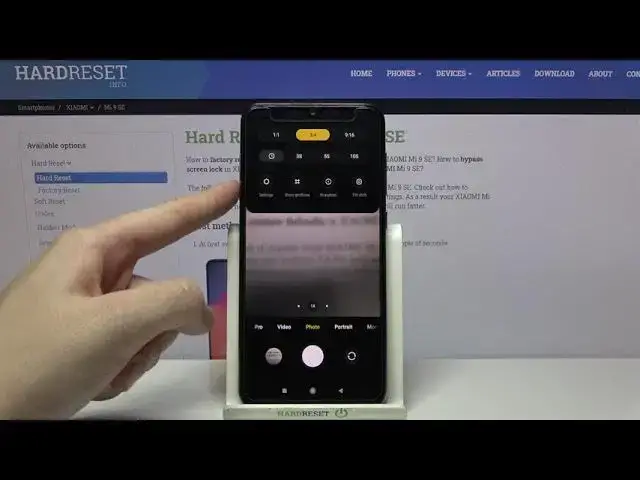

How to Use Burst Shot on XIAOMI Mi 9 SE – Multiple Photos at Once
Jul 10, 2024

Read more about XIAOMI Mi 9 SE:
https://www.hardreset.info/devices/xiaomi/xiaomi-mi-9-se/
Interested in how to take a burst shot by using XIAOMI Mi 9 SE’s camera? We are coming with the instructions, in which we explain how to smoothly manage burst shot on XIAOMI Mi 9 SE. If you are wondering how to activate burst shot on your Xiaomi device, follow the instructions above and learn how to use the advanced options available on the Xiaomi’s camera. With us, you will learn how to take a series of pictures taken in a matter of a second. Visit out HardReset.info YouTube channel and find out many useful tutorials for XIAOMI Mi 9 SE.
How to take burst shot on XIAOMI Mi 9 SE? How to make burst shot on XIAOMI Mi 9 SE? How to manage burst shot on XIAOMI Mi 9 SE? How to use burst shot on XIAOMI Mi 9 SE? How to turn on burst shot on XIAOMI Mi 9 SE? How to turn off burst shot on XIAOMI Mi 9 SE? How to activate burst shot on XIAOMI Mi 9 SE? How to enter burst shot on XIAOMI Mi 9 SE? How to take a lot of pictures on XIAOMI Mi 9 SE? How take many photos in a row on XIAOMI Mi 9 SE?
#CameraBurstShot #MultipleShots #XiaomiMi9Se
Follow us on Instagram ► https://www.instagram.com/hardreset.info
Like us on Facebook ► https://www.facebook.com/hardresetinfo/
Tweet us on Twitter ► https://twitter.com/HardResetI
Support us on TikTok ► https://www.tiktok.com/@hardreset.info
Use Reset Guides for many popular Apps ► https://www.hardreset.info/apps/apps/
Show More Show Less