0:00
Hi, welcome to Hard Risk Info Channel, dear viewers
0:03
Now I can show you how to use calculator application on Mac OS Xonomon
0:13
Maybe you think that calculator on Mac is very stupid application, you have no history
0:17
here, you can't use it like a programmer calculator or scientist calculator, but no, you can
0:26
And it's very good application, you just need to know how to use it
0:31
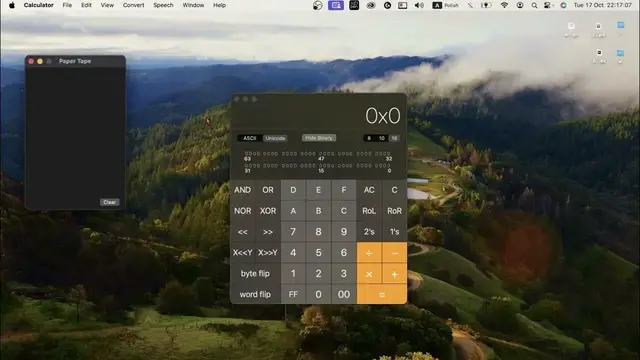
So open the calculator application on your Mac OS Xonomon. And as you can see here we have a simple calculator, so for example 50 plus 1 equals 51
0:46
And we have no history here and we have nothing here. But if you will click on the file button and click save tape or print tape and then you
1:02
will close the popped up window, you will see the history here
1:09
And as you can see this is my latest calculation and when I will try to calculate something
1:16
else, as you can see I have this calculation here and it works, it works infinite times
1:26
As you can see it really works and we have history and it's better than in other calculator
1:33
applications because we can copy calculations, we can copy it and move to our note taking apps
1:42
So it's really great. And even when you are clearing all in your calculator, you can't clear your paper tape
1:52
To clear it you need to click clear on your paper tape
1:56
So it's safe, it's great, it's beautiful, it's amazing. Maybe you think that here you don't have scientist calculations or programmer calculations
2:14
Just click view and here you have scientist and programmer. Or you can click command 2 or command 3
2:23
Bam, bam. As you can see it's really great. And all your calculations you can have later on the tape
2:41
Unfortunately I don't know how to use this calculator. Unfortunately. Good. Okay, what we have here
2:52
So of course we can use paper tape in this time, in this way, so it's easier than clicking file
3:05
You can click show paper tape or hide paper tape, so command T
3:14
You can convert length, power, pressure, speed, temperature. So firstly we need to open normal calculator, convert, power for example
3:31
From kilowatt for example to horsepower. Oh my god. For example, okay
3:41
And click convert. And as you can see we have converted. And you can save it on your paper tape
3:50
So as you can see it works great. And here we have RPM mode
3:56
Here we have decimal places. You can even customize touch bar. So I think that Apple calculator is the one of the most powerful calculators we can have
4:12
And I think, so I hope this video was helpful for you
4:17
And if it's true, so give me a like, leave a comment on this video
4:24
And bye, see you. Bye. Bye. Bye. Bye. Bye. Bye. Bye. Bye. Bye. Bye. Bye. Bye. Bye. Bye. Bye. Bye. Bye. Bye. Bye. Bye. Bye. Bye. Bye. Bye. Bye. Bye. Bye. Bye. Bye