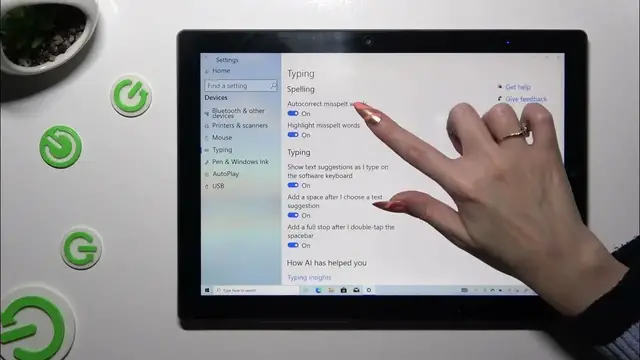

How to Turn On/Off Auto Correction on CHUWI Ubook X?
Dec 4, 2023

Find out more about CHUWI Ubook X
https://www.hardreset.info/search/?q=CHUWI+UBOOK+X&device_type=
As the title suggests, this tutorial is a step-by-step guide that is intended to assist users of the CHUWI Ubook X in understanding and managing the auto-correction feature of the device. Here's how you can turn off auto-correction for a more customized typing experience or enable it for accurate typing. Users will be able to easily navigate through their tablet's settings, enabling or disabling auto-correction based on their needs. Clear instructions and visuals make it easy for the user to follow along and adjust the settings on their device for easier typing.
How do I access the keyboard settings on my CHUWI Ubook X?
What are the benefits of having auto-correction enabled on the tablet?
Can I customize the level of auto-correction on my device?
What steps should I take to turn off auto-correction temporarily?
Will turning off auto-correction affect other predictive text features?
#AutoCorrection #TextCorrection #chuwiubookx
You can also check our other YouTube channels:
https://www.youtube.com/c/HardresetInfo
Follow us on Instagram ► https://www.instagram.com/hardreset.info
Like us on Facebook ► https://www.facebook.com/hardresetinfo/
Tweet us on Twitter ► https://twitter.com/HardResetI
Support us on TikTok ► https://www.tiktok.com/@hardreset.info
Use Reset Guides for many popular Apps ► https://www.hardreset.info/apps/apps/
Show More Show Less #Science