0:00
Welcome, if you want to transfer data from Huawei smartphone to your LG Velvet, for the
0:11
first you have to get application to transfer data. So I can recommend you this application, the name is Clonit, so we have to enter the Play
0:19
Store like me, tap on the search tool and type here Clonit
0:24
Right now we have to download this application, so click on the install, and on this Huawei
0:28
smartphone you have to do the same of course, so right now I can open it, because I just
0:35
got this application here, and on our LG click open, we have to accept all of the permission
0:48
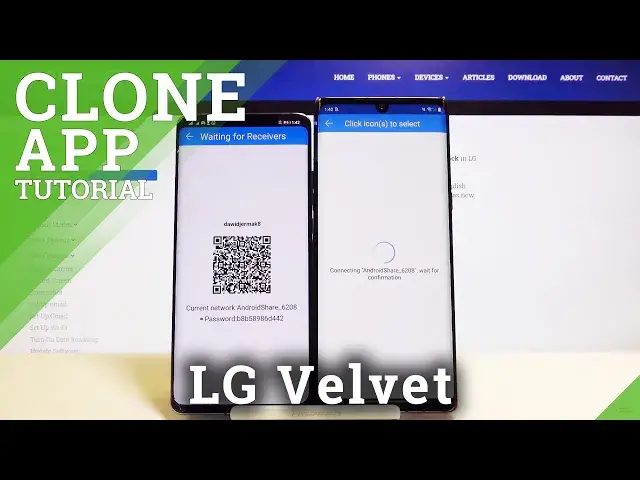
click sender on your Huawei, and receiver on the LG, click send again, and we have to
0:56
wait until our LG find the Huawei, and here it is, so just click on this icon, and we
1:04
can connect in the two ways, we can scan the code, but also we can input the password manually
1:09
so grab your phone, put it in the frame like that, and right now it is connecting to our
1:14
Android share, of course to our Huawei, and you have to wait for like one minute, and
1:26
if you got any problem with this connection, you can also try to connect it manually, so
1:31
you have to open the notification bar, click and hold the WiFi icon, and then you have
1:35
to select the Android share connection, so click on it, tap connect, and as you can see
1:45
right here we got the request for the connect, so click on it, click OK, and then open background
1:50
apps, and just go back to our application, and right now as you can see we can send the
2:00
data, so if you want to send all of the data, you have to click on this icons, and here
2:05
you got the size of the selected files, and also the estimated time, but of course I don't
2:10
want to wait the 60 minutes, so I'm going for the details, and I think that I'm going
2:16
to send some music, or maybe this free songs, and I'm going to unselect other stuff, and
2:24
just click start OK, and as you can see it's finished, so we can check where we got our
2:34
file, and it will be probably in the files, Google files, here, in the audio, and yes
2:46
here we got our songs that we sent from Huawei smartphone, so thank you guys for watching
2:50
leave thumbs ups, comments, and subscribe to our channel, see ya