0:00
Welcome, if you want to transfer data from Android smartphone to your Motorola Razr 2019
0:13
for the first you have to go to the Google Play Store on your Motorola and right here
0:17
you have to download application to transfer data and I recommend you to get application
0:21
name cloneit because it is really easy to use and you don't have to pay for it
0:28
Also you have to do the same on the second smartphone but I just did it and right now
0:33
I'm gonna open it. Ok, on your Motorola tap Allo, two times, tap on Yes I agree, right now click Sender
0:47
on your Android phone, tap on Reset, turn on location, go back, click on Receiver, Sender
0:54
again and on your Motorola you have to click on Receiver, so let's do this, click on the
0:59
Allo, tap on the Search again and right now our smartphones are looking for each other
1:04
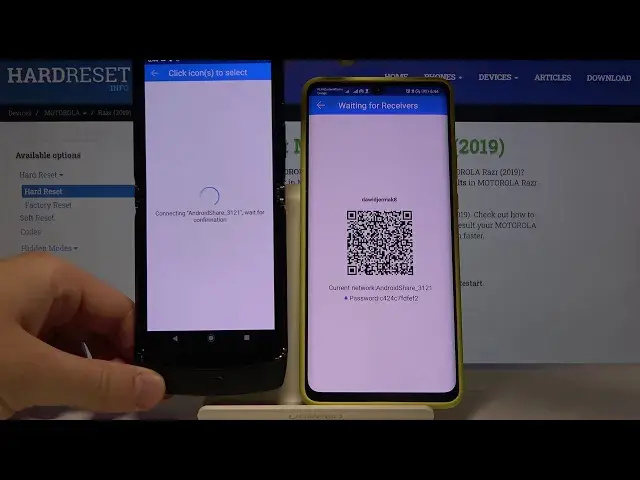
so we have to wait a little bit and here we are, so click on this Android share icon 3121
1:10
and as you can see we have two ways to connect, we can scan the QR code but also we can input
1:15
the password manually, the password you can find right here. In my case I'm going to scan the QR code so let's tap on the tab to scan, click on the
1:24
Allo, grab your phone and right now they are connected, accept the request and if you want
1:40
to send everything just click on all of these icons and click on the Start button, in my
1:45
case I'm going to go below for the details, I will skip to the music, unselect all of
1:55
the songs and I will pick maybe the Legion of Light and Rites and the Better Now from
2:01
the Post Malone, click on the Start, OK, it's importing and it's finished
2:08
So right now when we are going to the files on our Motorola we'll find here the songs
2:15
that we sent from the Android smartphone and here it is. Thank you guys for watching, leave thumbs ups, comments and subscribe to our channel