0:00
Hi everyone. In front of me I've got Poco X3 GT and let me share with you how to change this
0:05
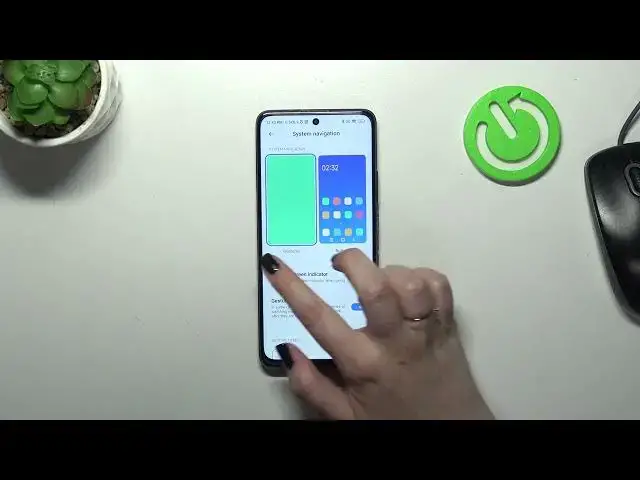
navigation type with the buttons to the gestures. So first of all we have to enter the settings and
0:16
then let's scroll down to find home screen. As you can see here we've got the system navigation so
0:21
let's tap and we've got two different options. Of course here we've got the gestures. This is the
0:25
option we're looking for. We've got also the animation of how to use it but I will explain it
0:31
before we will actually set the gestures. Just a quick disclaimer about the buttons. As you can
0:35
see here you can also customize this type of the navigation so you can mirror the buttons
0:40
you can simply reorder the back button and the recents, you can set some button shortcuts
0:45
and you can disable navigation buttons. All right so let me set the gestures. So first of all we
0:50
have to tap on this option and your device would like to open the tutorial of how to use the
0:56
gestures. Of course you can go through it and learn. I don't want to do it because I already know
1:01
and I will explain it to you also. Here we've got the options which are connected with the gestures
1:09
So as you can see instead of the three buttons we've got this line which is responsible for
1:14
particular gestures. If you want you can also hide it and I prefer this option to be turned
1:20
on so you've got this clean screen kind of. Here you've got also the gesture confirmation which
1:27
basically means that if you will for example watch a video or play a game and you want to get back
1:33
you will have to double the gesture to confirm that you really want to do it. Of course you can
1:37
turn off this option. All right so let's learn how to use the gestures. If you want to get back to
1:43
the previous page just like by using the back button we have to swipe our finger from the side
1:49
just like that until we will see this arrow and after releasing the finger we will simply go back
1:55
It works also from the right side so it depends which option is more comfortable for you
2:00
If you'd like to get back directly to the home page you have to swipe your finger from the bottom
2:03
to the center of your device. It should be a short and quick motion just like that
2:11
And here we've got the home page and in order to open the recents we have to do the same so
2:15
from the bottom to the center and this time hold your finger somewhere here just like that
2:21
and after releasing you can see that here we've got the recents. All right so that will be all
2:27
Thank you so much for watching. I hope that this video was helpful and if it was please
2:31
hit the subscribe button and leave the thumbs up