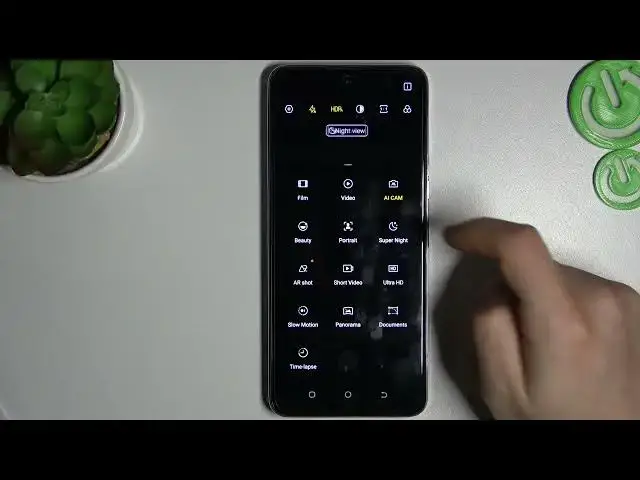

How to Record Slow Motion on TECNO CAMON 18 – Record Slowed Video
Jul 26, 2024

To learn more tutorials about TECNO CAMON 18:
https://www.hardreset.info/devices/tecno/tecno-camon-18/tutorials/
Hello, dear subscriber! Are you wondering, how to Use the Slow-Motion video Effect on the camera on your TECNO CAMON 18? If you are, then you should check out this short video tutorial. Today, in this video, our expert is going to teach you how to Activate Slow Motion Mode on TECNO CAMON 18 and then how to successfully create a video that will be automatically slowed down. Follow all the instructions step-by-step presented by our specialist and Manage Slow-Motion Recording on your TECNO CAMON 18 without any problem in just a couple of simple moves. If this video was useful for you, leave a thumbs up, leave a comment, and subscribe to our Channel. If you have any questions, you can ask them in a comment. To learn more video tutorials about your TECNO CAMON 18, visit our YouTube Channel. Thank you for watching this video!
How to Activate Slow Motion on TECNO CAMON 18?
How to Use Slow Motion on TECNO CAMON 18?
How to Turn On the Camera Feature on TECNO CAMON 18?
How to Enable Camera Slow Motion on TECNO CAMON 18?
How to Record Videos in Slow Motion on TECNO CAMON 18?
#TECNOCAMON18 #SlowMotion #VideoEffect
Follow us on Instagram ► https://www.instagram.com/hardreset.info
Like us on Facebook ► https://www.facebook.com/hardresetinfo/
Tweet us on Twitter ► https://twitter.com/HardResetI
Support us on TikTok ► https://www.tiktok.com/@hardreset.info
Use Reset Guides for many popular Apps ► https://www.hardreset.info/apps/apps/
Show More Show Less