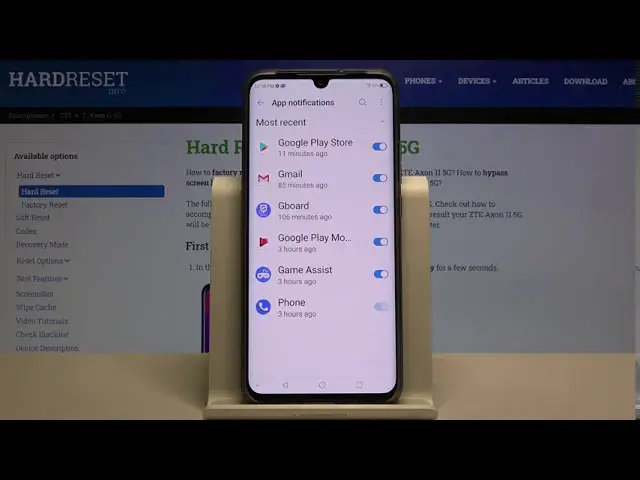

How to Personalize Notifications on ZTE Axon 11 5G - Manage Alerts
Apr 29, 2024

Check out more: https://www.hardreset.info/devices/zte/zte-axon-11-5g/
Follow our instructions if you want to open the notification settings in the ZTE AXON 11 5G and if you want to customize the notifications. Learn how to change the sound of notifications and how to enable or disable the notifications for selected applications. If you have the strong impression that you are not receiving all notifications from your favorite apps, you have probably turned off the notification options by accident.
How to Customize Notifications in ZTE AXON 11 5G? How to find Notifications Settings in ZTE AXON 11 5G? How to change notification settings in ZTE AXON 11 5G? How to manage notifications in ZTE AXON 11 5G? How to change notification sound in ZTE AXON 11 5G? How to turn off notifications in ZTE AXON 11 5G? How to enable notifications in ZTE AXON 11 5G? How to turn on notification in ZTE AXON 11 5G? How to turn off notification in ZTE AXON 11 5G? How to disable notification in ZTE AXON 11 5G? How to enable notification in ZTE AXON 11 5G? How to mute notification on ZTE AXON 11 5G? How to open notification settings on ZTE AXON 11 5G? How to Turn off notification from App on ZTE AXON 11 5G? How to change lock screen notification on ZTE AXON 11 5G?
#ManageNotifications #PersonalizeNotifications #ZTEAxon115G
Follow us on Instagram ► https://www.instagram.com/hardreset.info
Like us on Facebook ► https://www.facebook.com/hardresetinfo/
Tweet us on Twitter ► https://twitter.com/HardResetI
Support us on TikTok ► https://www.tiktok.com/@hardreset.info
Use Reset Guides for many popular Apps ► https://www.hardreset.info/apps/apps/
Show More Show Less