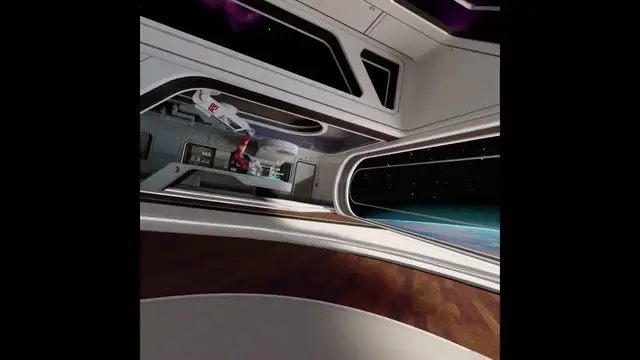

How to Master Your Game Positioning on Meta Oculus Quest 3 : A Quick Recalibration Guide
Jan 18, 2024

Find out more: https://www.hardreset.info/devices/meta/meta-oculus-quest-3/
Welcome to our gaming community! Dive into the world of recalibrating game positioning with our concise guide for an unparalleled gaming experience.
Why Recalibrate Your Game Positioning?
Understanding the importance of recalibrating your game positioning is the first step toward enhancing your gaming journey.
The Simple Solution: Meta Logo Button
Recalibrating your position is simpler than you might think. When playing a game or navigating any virtual environment, locate and hold the meta logo button. This key ensures effortless recalibration.
Quick Steps
Locate the Meta Logo Button:
Positioned under the thumbstick and beside the 'A' button on your controller.
Hold the Button:
Press and hold during gameplay or in a virtual environment.
Loading Sequence:
Initiates recalibration with a loading sequence.
Automatic Recentering:
Your view automatically recenters after the loading sequence completes.
Benefits of Recalibration
Recalibrating your game positioning offers a myriad of benefits:
Enhanced Gameplay:
Experience games with precise positioning.
Improved Navigation:
Effortlessly navigate through virtual environments without frustration.
Seamless Experience:
Enjoy gaming without disruptions caused by misalignment.
Troubleshooting: Left or Right, We've Got You Covered
Encountering issues where you're still looking left even after recalibration? Follow these quick troubleshooting steps:
Reposition and Hold:
If still facing left, reposition and hold the meta logo button again.
Check Controller Compatibility:
Ensure your controller is compatible with recalibration.
Explore Additional Settings:
Dive into game settings for more recalibration options.
Conclusion
In conclusion, master game positioning with a simple press of the meta logo button, elevating your gaming experience. Join our community, like, subscribe, and embark on a journey to unparalleled gaming precision. Thanks for being part of this recalibration adventure!
Follow us on Instagram ► https://www.instagram.com/hardreset.info
Like us on Facebook ► https://www.facebook.com/hardresetinfo/
Tweet us on Twitter ► https://twitter.com/HardResetI
Support us on TikTok ► https://www.tiktok.com/@hardreset.info
Use Reset Guides for many popular Apps ► https://www.hardreset.info/apps/apps/
#metaquest3 #quest3 #oculus3
Show More Show Less