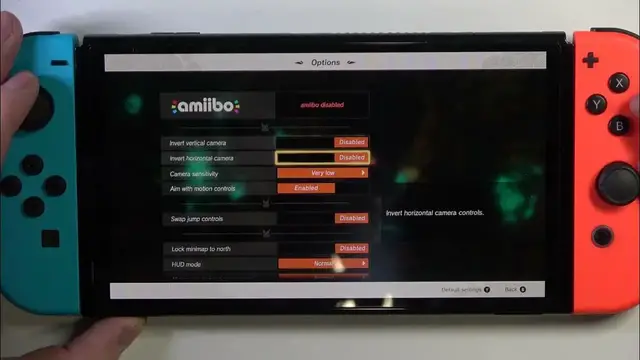

How to Lock Minimap to North in The Legend of Zelda: Tears of the Kingdom
Jan 17, 2024

We invite you to visit our website and find more useful tutorials for NINTENDO Switch: https://www.hardreset.info/devices/nintendo/nintendo-switch/
Navigate The Legend of Zelda: Tears of the Kingdom with precision by enabling the "Lock minimap to north" option on your NINTENDO Switch. In this concise tutorial, we guide you through the steps to activate this feature, enhancing your gaming experience. Watch now to master the art of direction in The Legend of Zelda.
How to enable the Lock minimap to north option in The Legend of Zelda: Tears of the Kingdom? How to lock the minimap on The Legend of Zelda: Tears of the Kingdom? How to make the minimap stationary in The Legend of Zelda: Tears of the Kingdom game on Nintendo Switch?
#zeldatearsofthekingdom #nintendoswitch #zelda
Follow us on Instagram ► https://www.instagram.com/hardreset.info
Like us on Facebook ► https://www.facebook.com/hardresetinfo/
Tweet us on Twitter ► https://twitter.com/HardResetI
Support us on TikTok ► https://www.tiktok.com/@hardreset.info
Use Reset Guides for many popular Apps ► https://www.hardreset.info/apps/apps/
Show More Show Less