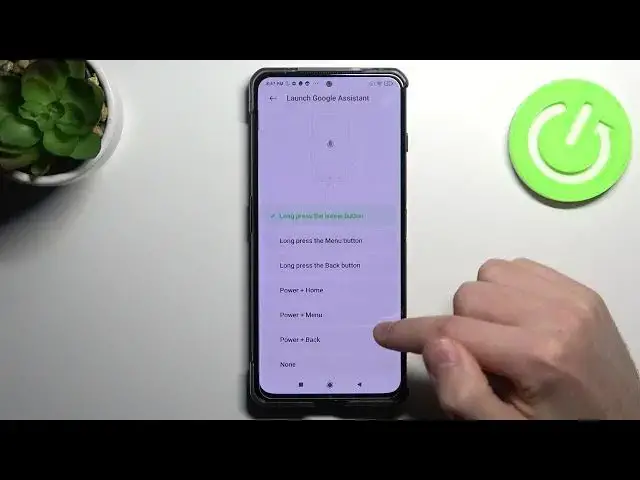

How to Link/Unlink Google Assistant on XIAOMI Black Shark 4 – Manage Button for Shortcuts
Apr 10, 2024

Find out more info about XIAOMI Black Shark 4: https://www.hardreset.info/devices/xiaomi/xiaomi-black-shark-4/
Do you wonder what the link/unlink procedure is for the XIAOMI Black Shark 4 Power Key? Can the XIAOMI Black Shark 4 Google Assistant be woken up by a specific button? Watch this video tutorial to find out how to use the convenience tools on your Xiaomi device to turn on or off Wake Google Assistant via the Power button. You can have Google Assistant wake up easily with a Power key on your Xiaomi smartphone if you read the attached instructions. Check out this tutorial to learn how to assign the power button to Google Assistant on the XIAOMI Black Shark 4. XIAOMI Black Shark 4 tutorials can be found on the HardReset.info YouTube channel.
\How to change button shortcuts in XIAOMI Black Shark 4? How to assign the app to the button on XIAOMI Black Shark 4? How to link Google Assistant to the home button in XIAOMI Black Shark 4? How to unlink Google Assistant from a home button in XIAOMI Black Shark 4? How to open Google Assistant by holding the power button in XIAOMI Black Shark 4? How to link Google Assistant to the power button in XIAOMI Black Shark 4?
#LinkGoogleAssistant #ButtonShortcuts #XIAOMIBlackShark4
Follow us on Instagram ► https://www.instagram.com/hardreset.info
Like us on Facebook ► https://www.facebook.com/hardresetinfo/
Tweet us on Twitter ► https://twitter.com/HardResetI
Support us on TikTok ► https://www.tiktok.com/@hardreset.info
Use Reset Guides for many popular Apps ► https://www.hardreset.info/apps/apps/
Show More Show Less