0:07
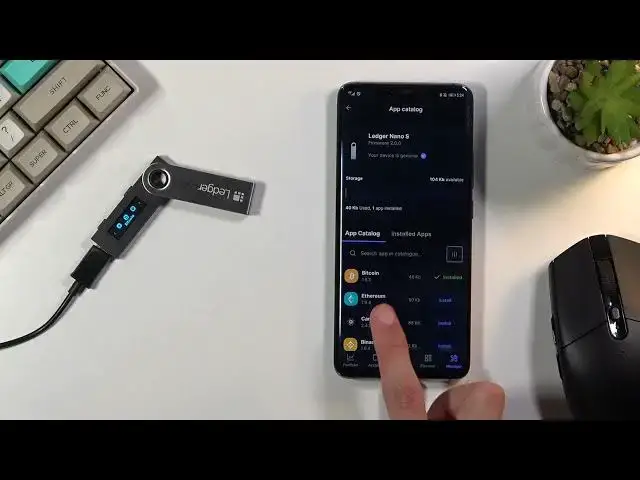
In front of me is a Ledger Nano S, and today I'll show you how to install the Ethereum
0:12
wallet to Ledger. So obviously I'm already in the application in my Ledger right here, so I could instantly
0:19
click on install, but assuming you haven't found that, I'm going to assume you haven't
0:25
downloaded the application, so all you need to do is basically go to the Play Store and download Ledger Live
0:30
It can also be downloaded on the iOS as well, and additionally on a computer, it can be
0:36
any kind of operating system, Android, Linux, Mac, it doesn't matter. So anyway, from here you will navigate to the application
0:49
From there, manage, and select your Ledger, which for me is right at the bottom here
0:58
And once it opens, you then want to find Ethereum obviously. Now, it looks like the Ledger application does sort all the coins based on popularity
1:11
or value, I'm not exactly sure what one of those two. So Ethereum, Bitcoin, and all those are basically right at the top, because they're probably
1:19
the most used. So anyway, from here select install, and this will start installing Ethereum wallet to the Ledger
1:34
Now additionally, if you already have a bunch of wallets installed, keep in mind, this device
1:38
only has about a total storage of 144 kilobytes, and each one of those wallets does weigh anywhere
1:48
from like 2 kilobytes to I believe over 100 kilobytes. As you can see, Ethereum has 50, Bitcoin 40, so you won't be fitting that many up here
2:01
And once it installs, you can find it right here, third icon right there
2:06
So it's already on the device, but as you can see, application does give you a pop-up
2:10
that you also need to create an Ethereum account. That is because you just installed a wallet, but that wallet basically has nothing behind it
2:19
It can accept Bitcoin, but it has nowhere to accept it to
2:23
It needs an account number, which you just select here, add account, and this would basically
2:29
create an account, which you can then assign to this Ledger and then transfer funds over
2:35
to it. I'm not going to go over it, so I'm just going to close it
2:39
And that would basically finish up installation of Ethereum wallet. So anyway, if you found this video helpful, don't forget to hit like, subscribe, and thanks