0:00
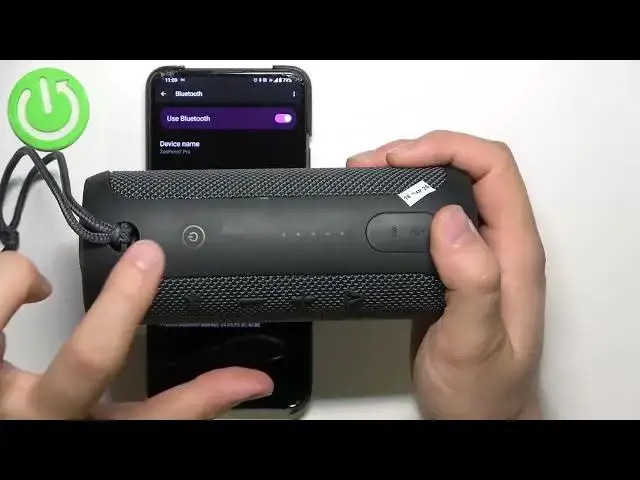
Welcome guys, so today I'm with JBL Flip Essential and I'm going to show you how
0:10
we can perform the hard reset of this speaker that's very simple. As you can
0:15
see I'm currently connected with my Android smartphone and also we can find
0:19
the power button right here so we have to force your power on your speaker and
0:24
then to perform the hard reset you have to use these two buttons that's the
0:30
volume up and the play button we have to click and hold them for a few seconds
0:35
until our speaker power off and this connection will be just also disappear
0:44
so you can also take a look on this indicators the first one will highlight
0:50
on the red so take a look click and hold these two buttons right now take a look
0:55
on the indicators and there it is right now we can release the buttons as you
1:02
can see we are not connected anymore of course the device stay with the
1:06
previously connected devices but right now when we power on the speaker by
1:10
tapping on the power button the speaker automatically moves to the pairing mode
1:18
so right now when I try to select my JBL Flip Essential I will get the new
1:24
pairing request so it means that the settings of our speaker were restored to
1:29
the default as you can see we are not connected anymore and then it just moved
1:33
to the available devices if you have any problem and this this power button is
1:39
not blinking on the blue so it means that you are not in the pairing mode to
1:43
enable pairing mode you have to click once on this Bluetooth icon then you
1:48
have to power off this Bluetooth power on back and then on the available devices
1:54
list you will find for 100% your JBL Flip Essential so you have to
1:59
select from the list accept the pairing request and there it is right now you
2:04
will be connected as you can see that's very simple so one more time to perform
2:09
the hard reset on the speaker power on then click and hold these two buttons
2:14
until your device turned off and then enter the pairing mode by tapping on the
2:22
Bluetooth icon once and select your device from available devices list so
2:27
that's all guys if you find this video helpful remember to leave a like comment