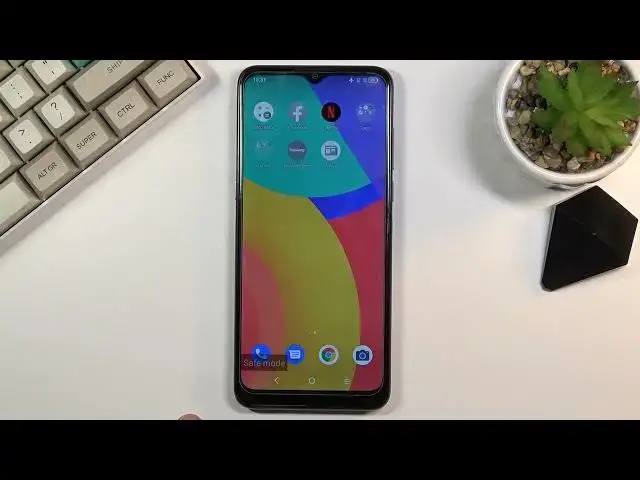

How to Enable Safe Mode on ALCATEL 1S – Run Safe Mode
Jul 8, 2024

Learn more info about ALCATEL 1S:
https://www.hardreset.info/devices/alcatel/alcatel-1s/
If your ALCATEL 1S is not responding, you should run this device in Safe mode. Open this tutorial and learn how to run Safe Mode on ALCATEL 1S and then how to navigate in that mode. In Safe mode all third-party apps are disabled so you will be able to recognize which app is causing the problem. Visit our YouTube channel if you want to know more about your ALCATEL 1S.
How to Open Safe Mode in ALCATEL 1S? How to Use Safe Mode In ALCATEL 1S? How to Activate Safe Mode in ALCATEL 1S? How to Disable Safe Mode in ALCATEL 1S? How to Fix Problems on ALCATEL 1S? How to Open Hidden Menu in ALCATEL 1S? How to Reboot ALCATEL 1S to Safe Mode? How to fix problems with third-part apps on ALCATEL 1S? How to remove third-party apps on ALCATEL 1S? How to turn ALCATEL 1S in Safe mode? How to turn on advanced mode on ALCATEL 1S? How to turn off third-party apps on ALCATEL 1S? How to disable all third-party apps on ALCATEL 1S? How to turn off all third-party apps on ALCATEL 1S? How to run ALCATEL 1S without any third-party apps? How to Quit Safe Mode in ALCATEL 1S?
#SafeMode #RestartInSafeMode #IGETSmartL203
Follow us on Instagram ► https://www.instagram.com/hardreset.info
Like us on Facebook ► https://www.facebook.com/hardresetinfo/
Tweet us on Twitter ► https://twitter.com/HardResetI
Support us on TikTok ► https://www.tiktok.com/@hardreset.info
Use Reset Guides for many popular Apps ► https://www.hardreset.info/apps/apps/
Show More Show Less